63
D. Event List
The IP Cam provides multiple event settings.
1. Event Setting
a. Motion Detection
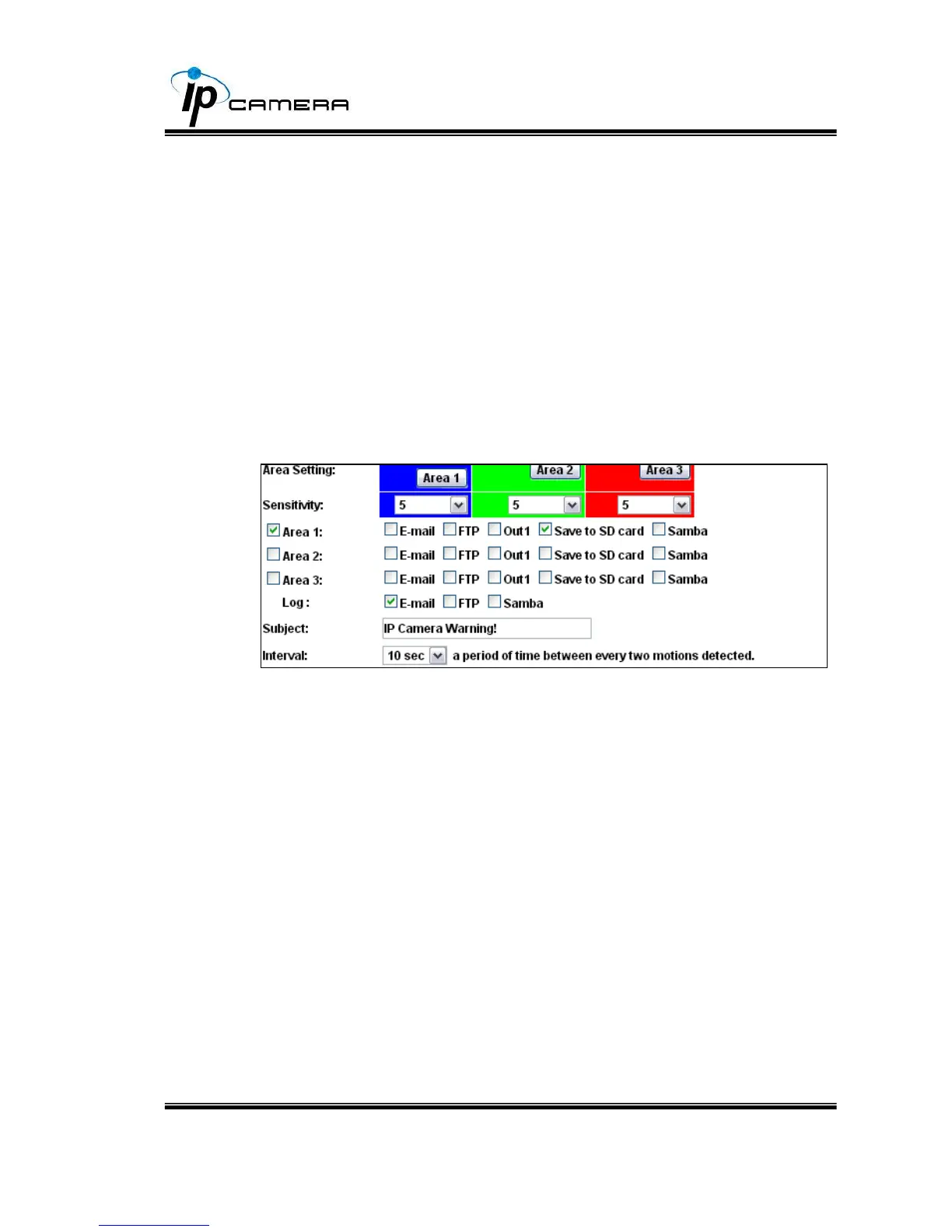
To enable motion detection, please tick "Area 1/2/3". Click "Area 1/2/3"
in “Area Setting”, and draw an area on the preview screen. When motion
is detected in the area, the word "Motion!" will be displayed on the live
screen. The camera will send video or snapshot to specific mail addresses,
trigger the output device, or save video to FTP/ Micro SD card/ Samba.
By selecting "save to SD card", the video or snapshot will be saved to
Micro SD card. Also, by ticking “E-mail/ FTP/ Samba” on the "Log" option,
the motion detection log will be sent to “E-mail/ FTP/ Samba”
simultaneously.
• Interval: For example, selecting "10 sec". Once the motion is detected



 To Next Page