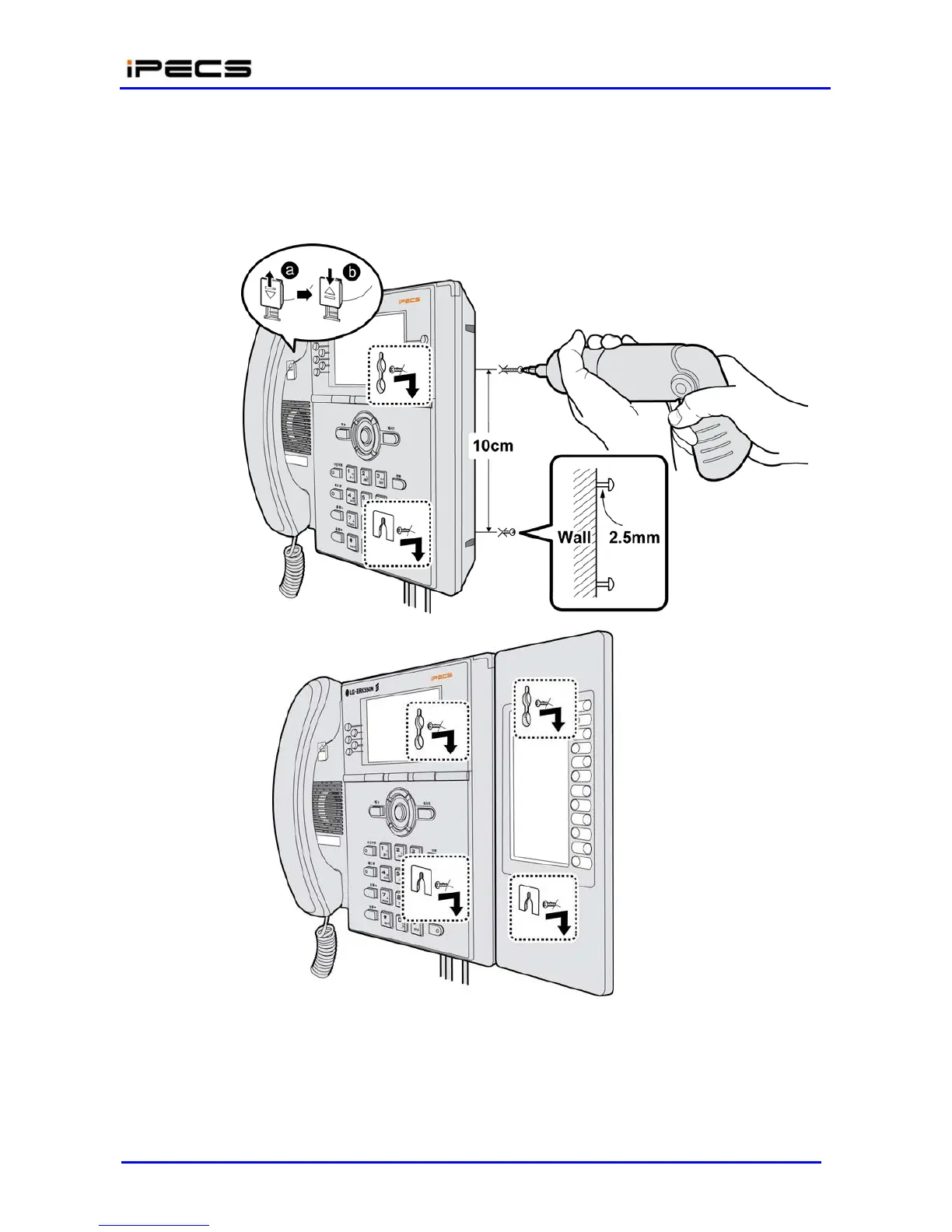
Slide the LIP-8000 phone over the screws and assure the phone is secure. Note it may be
necessary to remove the phone and tighten or loosen the screws for a secure mounting.
Remove the Handset hook from the phone as shown in the figures below. Reverse the
hook and re-install in the LIP-8000 phone so that the hook catches the groove in the
handset receiver.
Figure 4.5-1 LIP-8000 Wall Mount
Installation
A DSS console can be installed with the LIP-8000 series phone as shown in Figure 4.5-2 to Figure
4.5-5. Up to 3 consoles may be daisy chained as shown using the flat cable provided.



 To Next Page