Introduction
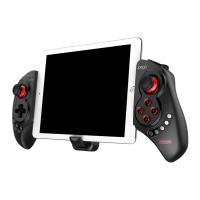
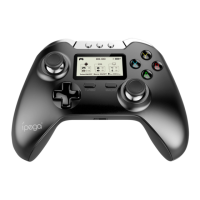
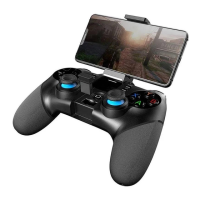
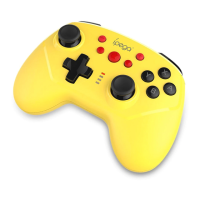
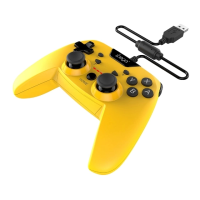
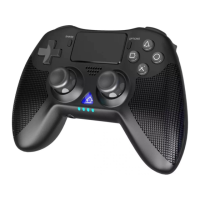
This product is a new design wireless Bluetooth controller and support different android/ ios/ PC and etc games.
1.It can be used when connected with the Bluetooth mobile phone and without any drivers.
2.Exclusive gaming application platform, the classic hand travel under control (ipega game lobby only for Android
platform).
3.With 380 mAh built-in lithium battery, can be used around 20 hours continuously after fully charged, safe and stable.
4. With the telescopic stand, the phone can be put in the stand (maximum support for 5.5-inch mobile phone), easy
for playing games.
5.Bluetooth 3.0 wireless transmission can be 6-8 meters wide range of control from the operation.
6.User-friendly software designed to enter the power saving mode with no connection state.
7.Support android 3.2, ios 4.3 above system.
8.Compatible with iPod/iPhone/iPad as well as the vast majority of android tablet PCs.
Game Support Description:
Under Android system, it supports the vast majority of games and simulator games (such as MC 4, Wild blood, Dungeon
Hunter, Zombie, FC simulator, GBA emulator, arcade emulator, SFC simulator, N 64 emulator, Shadowgun, Sonic CD,
Cordy, soulcraft, Zenonia4, 9 Innings 2013, Riptide GP, etc.)
Download method of games that are compatible: Enter itunes and App Store to search for "iCade". The handle can be
compatible with the vast majority of games, such as Gunman Clive, Helium Boy, League of Evil League of Evil 2
Knight Free Stardash, Temple the Run and so on.
左摇杆
右摇杆
GamePad Mode
Keyboard Mode
iCade Mode
SPP Mode
R1
L1
direction
Key
Telescopic stand
Maximum to support 5.5-inch phone
X.GamePad Mode: Only Android 3.2 + versions supports this mode, when the handle turn-off, first press the "X" key, then
press the HOME key, Bluetooth LED indicator flash, the handle enter into the pairing mode, turn-on the phone and search for
Bluetooth devices "ipega gamepad controller" and pairing, if the pairing is successful, the LED indicator will be bright , the
handle will be in the GamePad mode.
A.Keyboard Mode: (suitable for Android system )When the handle turn-off, first press the "A" key, then press the HOME key, the Bluetooth LED indicator
flash, the handle enter into pairing mode, turn-on the phone and search for Bluetooth devices "ipega gamepad controller" and
pairing, if the pairing is successful, the LED indicator will be bright, the handle will be in the keyboard mode.
B.iCade modes: (suitable for IOS system )When the handle turn-off, first press the "B" key, then press the HOME key, the Bluetooth LED indicator
flash, the handle enter into the pairing mode, turn-in the phone and search for Bluetooth devices "ipega gamepad controller"

 Need help?
 General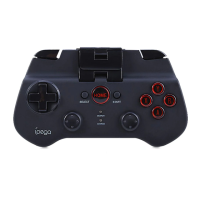

 To Next Page