Need help?
Do you have a question about the iPega PG-9162Y and is the answer not in the manual?
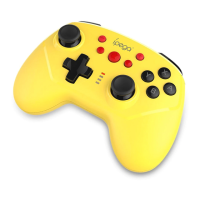
Instructions for pairing and connecting the gamepad wirelessly to the N-Switch console.
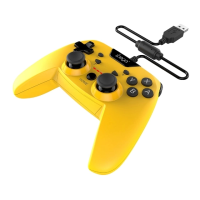
Steps for connecting the gamepad to the N-Switch Dock using a USB cable.
How to set and disable the TURBO function on specific action buttons.
Details on LED indicators for charging, sleep mode, and power off functions.
Procedure for connecting the gamepad to the N-Switch console via wireless mode.
Steps for connecting the gamepad to the Switch Dock using a USB data cable.
Method to manually set the TURBO function on eight action buttons.
Information on charging status indicators, sleep, wake, and power off functions.
 General
| Type | Wireless Game Controller |
|---|---|
| Compatibility | Android, iOS, PC |
| Connection | Bluetooth |
| Charging Time | 2-3 hours |
| Battery | Built-in rechargeable lithium battery |
| Special Features | Turbo function |
| Buttons | D-pad, A, B, X, Y, L, R, L2, R2, Select, Start, Turbo, Home |

 To Next Page