

EasyManua.ls Logo

Ipevo Presenter - User Manual

Ipevo Presenter
14 pages
Print Icon
To Next Page IconTo Next Page
Loading...
IPEVO Presenter for Mac
Quick Start Guide
Introduction
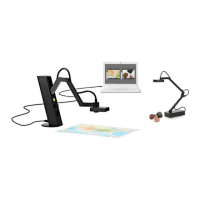
IPEVO Presenter for Mac is designed for use with the IPEVO line of document
cameras, including the Point 2 View, Ziggi-HD, iZiggi-HD and VZ-1. Presenter
displays the live video feed from your camera. It's an ideal solution to send
live video from your computer to your projector for lessons and presentations.
Presenter also contains numerous handy tools and customizations to help you
get the most from your camera.
This guide will help familiarize you with Presenter's functions and settings.
Downloading IPEVO Presenter
Visit support.ipevo.com for the latest version of Presenter. Click the download
link for the Mac version of Presenter, then follow the prompts to complete
installation.
Presenter is free to use and may be installed on multiple computers.
Questions? Comments?
If you've read this guide and still have questions, we're ready to help. Email
cs@ipevo.com and a member of our Customer Support team will be happy to
assist you.
Question and Answer IconNeed help?

Do you have a question about the Ipevo Presenter and is the answer not in the manual?

Summary

Introduction to IPEVO Presenter

Downloading and Installing IPEVO Presenter

Support and Contact Information

Camera Mode Functions

Image Adjustments

Adjust zoom, mirror, rotate, resolution, exposure, and white balance for the camera feed.

Focus Control

Manage autofocus lock, manual focus, and view the focus indicator.

Capture and Display Options

Take snapshots, record video, and cycle through display modes.

Device and View Management

Select video device, access adjustment menus, and enter full screen view.

Review Mode Features

Content Filtering and Management

Filter items by All, Photo, Video, AutoShoot, or Album, and manage thumbnails.

Media Editing Actions

Perform rotate, delete, and share operations on selected media files.

Album Management

Album Renaming and Export

Rename albums by double-clicking or right-clicking, and export albums as PDF.

Adding Photos to Albums

Add selected photos to existing or newly created albums.

Splitscreen Mode Operation

Camera Selection for Panes

Select cameras for the first and second splitscreen panes.

Pane Adjustment and Layout

Adjust image settings and configure pane layout (horizontal/vertical).

Application Settings

General Settings

Configure sound effects, refresh rate, and automatic album creation.

Capture Settings

Set snapshot preview options and timer delays for captures.

Recording Settings

Configure video resolution and audio device for recordings.

Keyboard Shortcuts

View and Capture Hotkeys

Hotkeys for zoom, full screen, freeze, display, snapshot, and record functions.

Image Control Hotkeys

Hotkeys for mirror, rotate, exposure, and focus adjustments.
Ipevo Presenter Specifications

General IconGeneral
BrandIpevo
ModelPresenter
CategorySoftware
LanguageEnglish