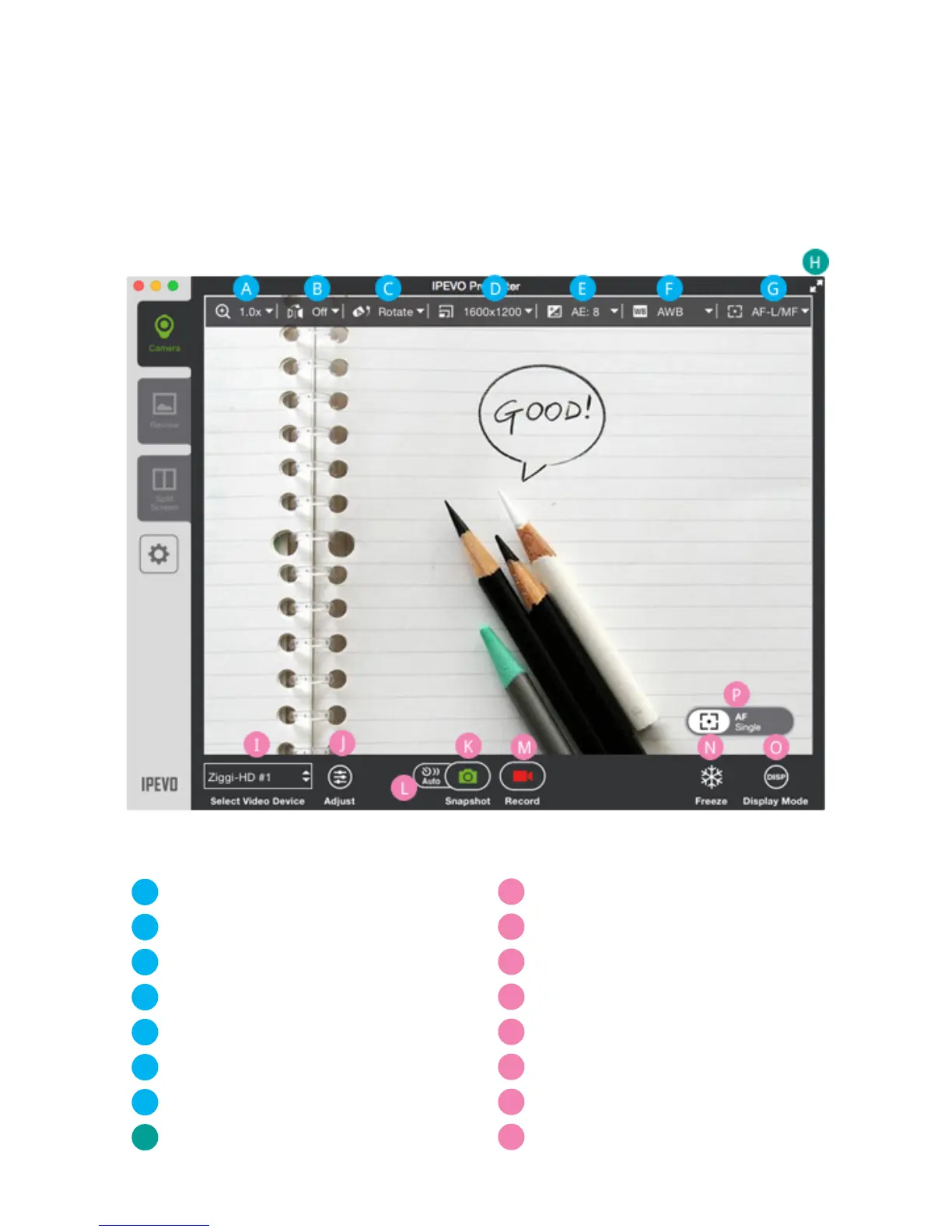
Zoom
Mirror
Rotate
Resolution
Exposure
White Balance
AF Lock / Manual Focus
Full Screen
Select Video Device
Adjust
Snapshot
Auto (Interval Shooting)
Record
Freeze
Display Mode
Focus and Focus Indicator
Camera Mode
The default mode when starting IPEVO Presenter is Camera mode, selectable with
the top tab on the left-hand side. This mode displays the live image coming from
the doc cam connected to your computer. You can also customize your image in
several ways using the pulldown menus and buttons.
A
I
B
J
C
K
D
L
E
M
F
N
G
H
O
P


 To Next Page