Main Window Function
Click on an image to select that photo or video, which will become highlighted
in a light gray. Use Shift+Click and Command+Click to select multiple files.
Double-click on the selected photo or video to make it larger and to enter a
slideshow mode. Click the left or right arrows in the slideshow to view your
library of photos and videos. Click the back arrow key (in green) to exit the
slideshow.
You can right-click on an image to bring up Rotate, Delete and Share functions
identical to the lower right-hand menu.
G
H
I
J
F
Thumbnail Size (or Zoom)
Adjust the slider to alter the size of the thumbnails being displayed
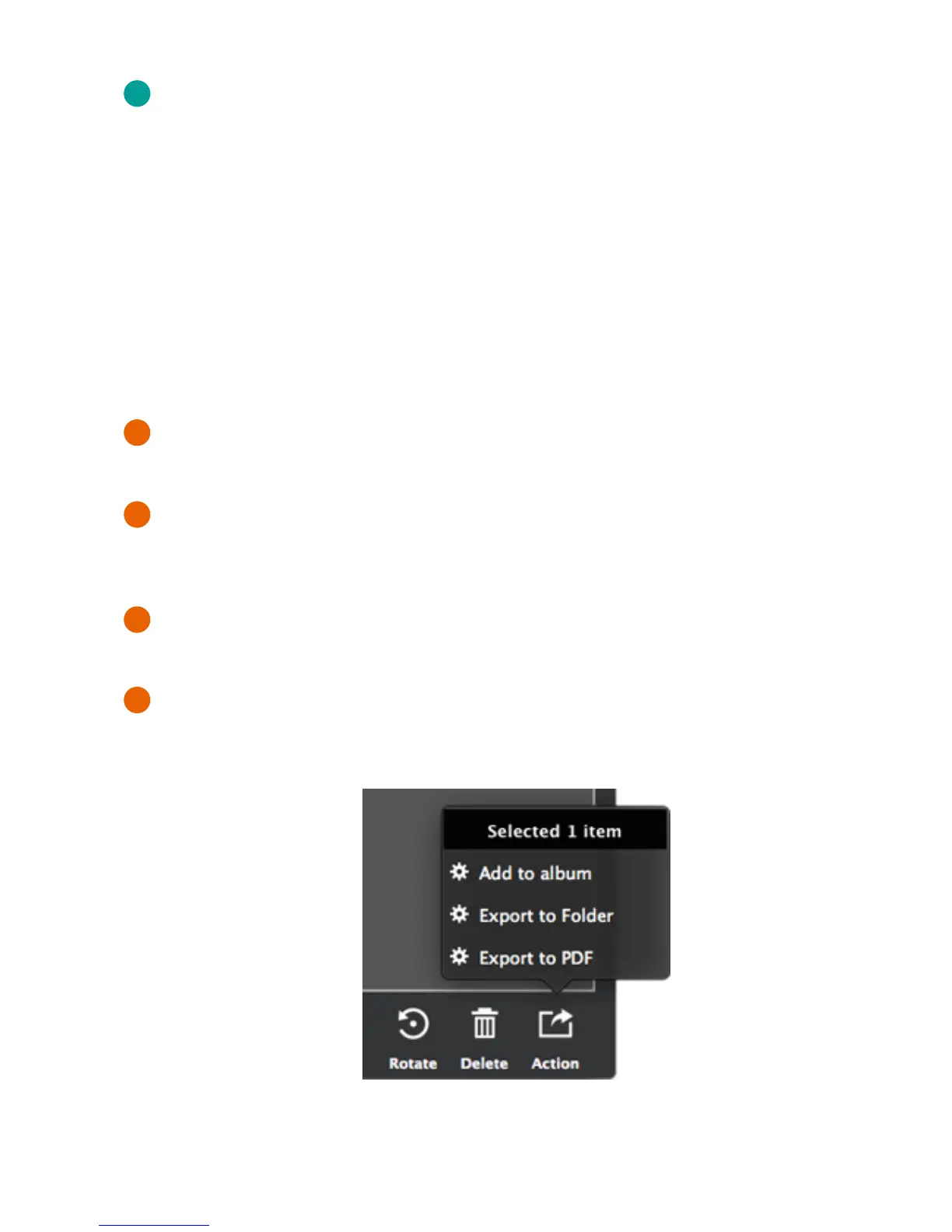
Rotate
Rotate the selected photo(s) or video(s) in 90-degree increments counter-clockwise.
This rotation will permanently alter the image.
Delete
Permanently delete the selected files from your hard drive. A pop-up window will
confirm your decision.
Share (or Action)
Export the selected photo(s) or video(s) to a desired location on your hard drive.
You can also export images as a PDF file to your desired location.
Bottom Menu Functions


 To Next Page