EasyManua.ls Logo

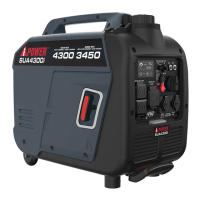
iPower SUA4300i - User Manual

iPower SUA4300i
35 pages
Print Icon
To Next Page IconTo Next Page
Loading...
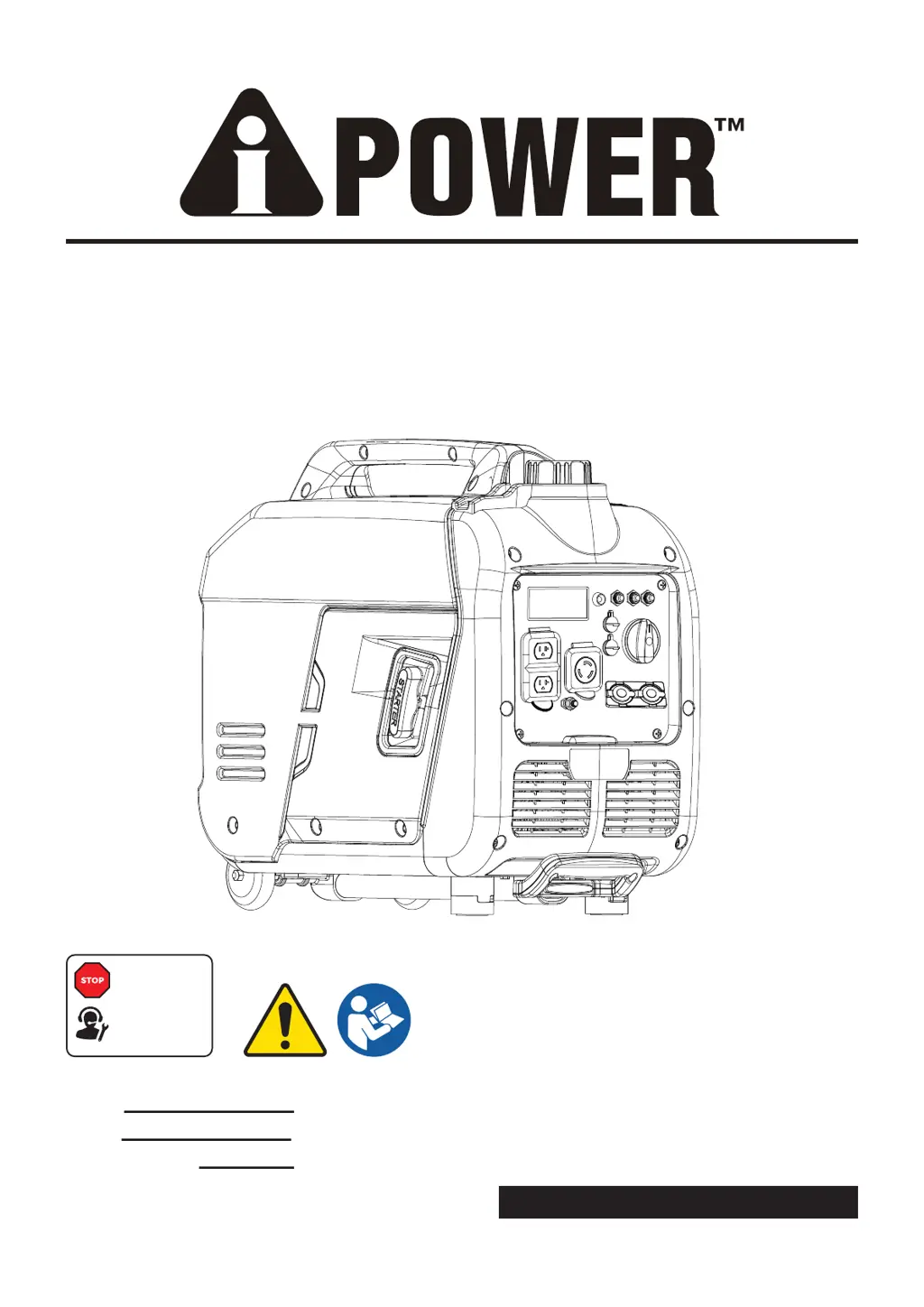
PORTABLE GENERATOR
Owner’s Manual
P/N: 32082-00000-00
Model:
Serial:
Date Purchased:
SAVE THIS MANUAL FOR FUTURE REFERENCE
DO NOT RETURN
TO STORE!
CALL US FIRST
855-888-3598
FOR SUPPORT
Model# 1492003 REV00
SUA4300i

Questions and Answers

  • S
    Susan MartinezAug 5, 2025
    What to do if my iPower Portable Generator has no AC output?
    • K
      Kristine HarrisonAug 5, 2025
      If your iPower Portable Generator's engine is running, but there's no AC output, it could be due to several reasons. First, check the AC load and reset the circuit breaker if it's open. Also, inspect for poor connections or defective cord sets and repair if necessary. Try connecting another device that you know is in good working order. If your generator has a GFCI outlet, check if it's open and correct any ground faults before pressing the reset button. If none of these steps work, there may be a fault in the generator itself, and you should contact customer service or an authorized service center.
  • N
    Nicole LopezAug 10, 2025
    Why does my iPower SUA4300i engine shut down when running?
    • N
      Nathan Rodriguez IVAug 10, 2025
      If your iPower Portable Generator engine starts but shuts down while running, several factors could be at play. Start by checking the fuel level and refilling if necessary. Inspect the air cleaner and clean or replace it if it's dirty. Ensure the oil level is adequate, and place the generator on a level surface. If the unit shuts off due to CO accumulation and a blinking red indicator light, follow all safety instructions on the CO Action Label. For a system fault indicated by a blinking yellow light, it's best to contact customer service or an authorized service center.
  • L
    Lynn RichmondAug 20, 2025
    What to do if iPower Portable Generator bogs down when load is connected?
    • M
      maryevansAug 20, 2025
      If your iPower Portable Generator engine runs well without any load but bogs down when a load is connected, it could be due to a few reasons. First, disconnect any electrical load that might have a short circuit. If the engine speed seems too slow, contact customer service or an authorized service center. Make sure you're not overloading the generator by reducing the load. Also, ensure that the connected device is in good working condition by connecting another device that you know is good. If the fuel filter is clogged or dirty, clean or replace it. In the event of a shorted generator circuit, contact customer service or an authorized service center.
  • S
    Shawn GarciaAug 26, 2025
    Why does my iPower SUA4300i lack power?
    • J
      James HernandezAug 26, 2025
      If your iPower Portable Generator engine lacks power, try these solutions. Reduce the electrical load if it's too high. Replace the air filter if it's dirty. Clean or replace the fuel filter if it's clogged. Also, clean or replace the spark arrester screen if it's clogged or dirty. Drain the gas tank and carburetor and fill with fresh fuel if the fuel is bad. If none of these steps improve the power, contact customer service or an authorized service center for service.
  • C
    Charles MeyerAug 30, 2025
    What causes my iPower SUA4300i engine to hunt or falter?
    • G
      Gabrielle GrossAug 31, 2025
      If your iPower Portable Generator engine “hunts” or falters, it could be due to a few issues. The carburetor might be running too rich or too lean, in which case you should contact customer service or an authorized service center. Also, consider replacing the fuel filter if it's clogged or dirty. If the choke is opened too soon, set it to the halfway position until the engine runs smoothly.
  • Q
    qthomasNov 14, 2025
    How to troubleshoot starting problems with my iPower Portable Generator?
    • R
      Roy DaltonNov 14, 2025
      If your iPower Portable Generator engine will not start, starts and runs rough, or shuts down when running, there are several things to check. Ensure the engine switch and fuel valve are in the ON position. Check the oil level and fill if low, or place the generator on a level surface. Clean or replace the air filter if it's dirty. Make sure there's fuel in the tank, and if the fuel is stale, drain and replace it with fresh fuel. Ensure the spark plug wire is connected, and replace the spark plug if it's bad. If there's water in the fuel, drain and refill with fresh fuel. If the engine is flooded, wait 5 minutes before re-cranking. For issues like excessively rich fuel mixture, stuck intake valve, lost compression, or a system fault (blinking yellow light), contact customer service. Also, ...

Summary

Introduction to Manual

Thorough Manual Reading

Understand manual completely before using product. Failure to understand could result in death or serious injury.

Safety Information Overview

Safety Alert Symbol and Definitions

Explains safety alert symbol and definitions of DANGER, WARNING, CAUTION, and NOTICE.

General Safety Precautions

Carbon Monoxide Hazards

Generator exhaust contains CO; never use indoors, avoid accumulation and point exhaust away from occupied spaces.

Exhaust System Safety

Ensure exhaust system is properly maintained and not modified for safety.

CO Alarm Installation

Install battery operated carbon monoxide alarms indoors per manufacturer's instructions.

Unpacking the Generator

Parts Included List

Lists all parts included with the gasoline powered generator for assembly and verification.

Generator Controls and Features

External Component Identification

Identifies key external components of the generator with numbered labels.

Control Panel Features

Control Panel Layout and Outlets

Details the functions of each numbered control and outlet on the generator's panel.

Control Panel Details

LED Data Center Functions

Explains the LED Multi-Meter, Low Idle Button, Low Oil Indicator, Overload Reset, and Select Button.

Generator Specifications

Technical Specifications Data

Provides detailed technical data for the SUA4300i generator model, including operating limits.

CO Watch-Guard System

CO Detection and Auto Shutoff Mechanism

Explains the Carbon Monoxide detection and auto shutoff system for safety.

Engine Oil and Fuel Management

Adding Engine Oil

Instructions and chart for checking and adding the correct engine oil for optimal performance.

Low Oil Shutdown Feature

Describes the automatic engine shutdown feature triggered by low oil levels.

Fueling Precautions and Requirements

Provides critical safety warnings and requirements for adding unleaded gasoline to the generator.

High Altitude Operation

Altitude Performance Adjustments

Explains how altitude affects engine power and provides contact for high-altitude jets.

Grounding and Electrical Connection

Connecting to Building Electrical System

Details requirements for safely connecting the generator to a home's electrical system.

General Operation Procedures

Generator Location and Safety

Specifies safe outdoor locations and precautions to prevent fire and hazards.

Surge Protection for Electronics

Recommends using surge suppressors to protect sensitive electronic devices from voltage fluctuations.

Starting the Generator

Step-by-step guide on how to safely start the generator, including pre-start checks.

Connecting Electrical Loads

Connecting Electrical Loads

Instructions for connecting appliances to the generator, including load order and safety.

Low Idle Switch Operation

Explains the function of the Low Idle switch for fuel efficiency and noise reduction.

Stopping and Overload Protection

Engine Shutdown Procedure

Steps to safely stop the generator, including running it at no-load first.

Safe Load Addition Procedure

Procedure for safely adding electrical loads to prevent overloading the generator.

Parallel Operation Setup

Parallel Operation Kit Usage

Instructions for connecting two generators for parallel operation using the A-iPower Parallel Operation Kit.

Maintenance Schedule and Inspections

Maintenance Schedule Overview

Outlines recommended maintenance intervals for optimal generator performance and longevity.

Walk-Around Inspection Guide

Pre-operation checks to ensure the generator is in good working condition.

Engine Maintenance Procedures

Checking Engine Oil Level

Detailed steps for checking the engine oil level before each use.

Changing Engine Oil

Step-by-step guide for draining and refilling the engine oil.

Air Filter and Spark Plug Maintenance

Air Filter Cleaning Instructions

Instructions on how to clean and maintain the air filter element.

Spark Plug Maintenance Procedure

Procedure for checking, cleaning, and gapping the spark plug for proper operation.

Valve Clearance and Spark Arrestor

Valve Clearance Check

Information on checking and adjusting valve clearance, recommending professional service.

Spark Arrestor Cleaning

Instructions for cleaning the spark arrestor to maintain proper function and comply with regulations.

Generator Storage Procedures

Short Term Storage Guide

Steps for preparing the generator for short-term storage, including fuel stabilizer.

Long Term Storage Guide

Detailed instructions for preparing the generator for long-term storage, including draining fuel and oil.

Float Bowl Drainage

Draining Float Bowl Procedure

Procedure for draining the carburetor float bowl for storage or maintenance.

Troubleshooting Common Issues

No AC Output Troubleshooting

Troubleshooting steps for when the engine runs but no AC power is available.

Load-Related Engine Problems

Solutions for when the engine runs well at no-load but loses power when a load is connected.

Engine Start and Running Problems

Addresses problems with the engine not starting, running rough, or shutting down.

Engine Power Deficiencies

Identifies causes and solutions for the engine not producing adequate power.

Engine Hunting and Faltering Diagnosis

Troubleshooting steps for when the engine runs erratically or 'hunts'.

Engine Shutdown During Operation

Diagnoses and solutions for the engine unexpectedly shutting down during operation.

Parts Identification and List

Parts Diagram Visual

Visual representation of generator components with numbered callouts.

Parts List Details

A comprehensive list of all parts with their corresponding part numbers and quantities.

Warranty Information and Returns

Limited Warranty Coverage

Details what the limited warranty covers, including duration and exclusions.

Obtaining Warranty Service

Instructions on how to contact customer service for warranty claims and troubleshooting.

Warranty Exclusions List

Lists items and conditions that are not covered by the generator's warranty.

iPower SUA4300i Specifications

General IconGeneral
ModelSUA4300i
Surge Power4300W
Fuel TypeGasoline
Run Time at 25% Load12 hours
Rated Voltage120V
Frequency60Hz
Engine Type4-Stroke OHV
TypeInverter Generator
Starting SystemRecoil/Electric Start
Noise Level58 dB
Outlet Types2 x 120V AC

Related product manuals