EasyManua.ls Logo

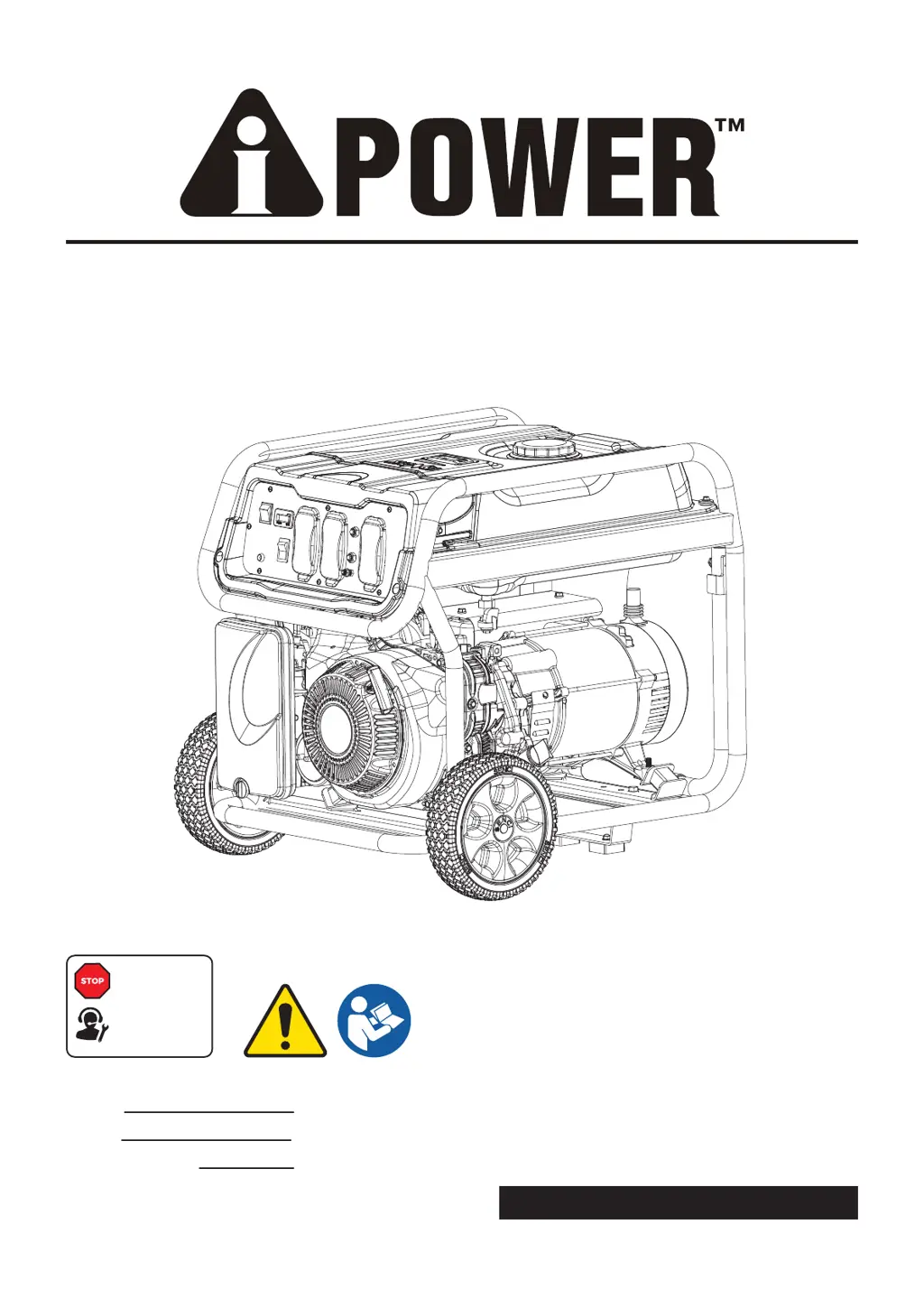
iPower SUA4500 - User Manual

iPower SUA4500
104 pages
Print Icon
To Next Page IconTo Next Page
Loading...
PORTABLE GENERATOR
Owner’s Manual
P/N: 32082-00000-00
Model:
Serial:
Date Purchased:
SUA4500 REV00
SAVE THIS MANUAL FOR FUTURE REFERENCE
DO NOT RETURN
TO STORE!
CALL US FIRST
1-855-888-3598
FOR SUPPORT

Table of Contents

Questions and Answers

  • J
    Jeremy OwenJul 29, 2025
    What to do if my iPower SUA4500 Portable Generator engine will not start?
    • L
      lori14Jul 29, 2025
      If your iPower Portable Generator engine won't start, runs roughly, or shuts down, make sure the engine switch is in the ON position. Also, check that the fuel valve is in the ON position and that the fuel tank is adequately filled. Inspect the crankcase oil level and ensure the generator is on a level surface. Clean or replace the air cleaner, and ensure the wire is connected to the spark plug. If these steps don't work, drain the fuel tank and carburetor and refill with fresh fuel. Wait 5 minutes before re-cranking the engine. Consider replacing the spark plug, fuel filter, or cleaning the spark arrestor screen if problems persist.
  • A
    Amanda PattonAug 6, 2025
    How to fix no AC output on my iPower SUA4500 Portable Generator?
    • A
      Amber CarterAug 6, 2025
      If your iPower Portable Generator engine runs but there's no AC output, first check the AC circuit breaker and reset it if it's open. Make sure to check the AC load before resetting the breaker. Also, correct any ground faults and press the reset button on the GFCI outlet. Try connecting another device that is known to be in good condition to ensure the generator is functioning correctly.
  • C
    Cory PittmanAug 13, 2025
    What to do if my iPower SUA4500 Portable Generator bogs down when a load is connected?
    • K
      Krystal BeardAug 13, 2025
      If your iPower Portable Generator runs fine without a load but bogs down when a load is connected, first disconnect any electrical load that may have a short circuit. Try reducing the load on the generator. Additionally, clean or replace the fuel filter. Connect another device that is known to be in good condition to ensure the generator is functioning correctly.
  • S
    shaydenAug 21, 2025
    How to resolve engine hunting or faltering in my iPower SUA4500 Portable Generator?
    • T
      Timothy MitchellAug 21, 2025
      If your iPower Portable Generator engine hunts or falters, set the choke to the halfway position until the engine runs smoothly. Replace the fuel filter.

Summary

Safety Precautions

General Safety Precautions

Covers essential safety guidelines for operating the generator, focusing on carbon monoxide hazards.

Control Panel Features

Panel Layout and Indicators

Detailed explanation of the generator's control panel functions, switches, outlets, and indicators.

Generator Specifications

Operation Guide

Generator Location and Start-Up

Guidelines for selecting a safe operating site and the procedure for starting the generator.

Connecting Electrical Loads

Engine Shutdown and Load Management

Maintenance and Storage

Maintenance Schedule and Engine Care

Outlines regular maintenance tasks, schedules, and engine oil management.

Engine Maintenance Details

Air Filter and Valve Clearance

Troubleshooting

Common Problems and Solutions

A table listing common issues, their possible causes, and recommended solutions.

Warranty Information

iPower SUA4500 Specifications

General IconGeneral
ModelSUA4500
TypePortable Generator
Starting Wattage4500 Watts
Fuel TypeGasoline
Engine Displacement212cc
Tank Capacity4 Gallons
Starting SystemRecoil Start
Running Wattage3500W
Engine Type4-Stroke OHV
Noise Level68 dB

Related product manuals