Page 09
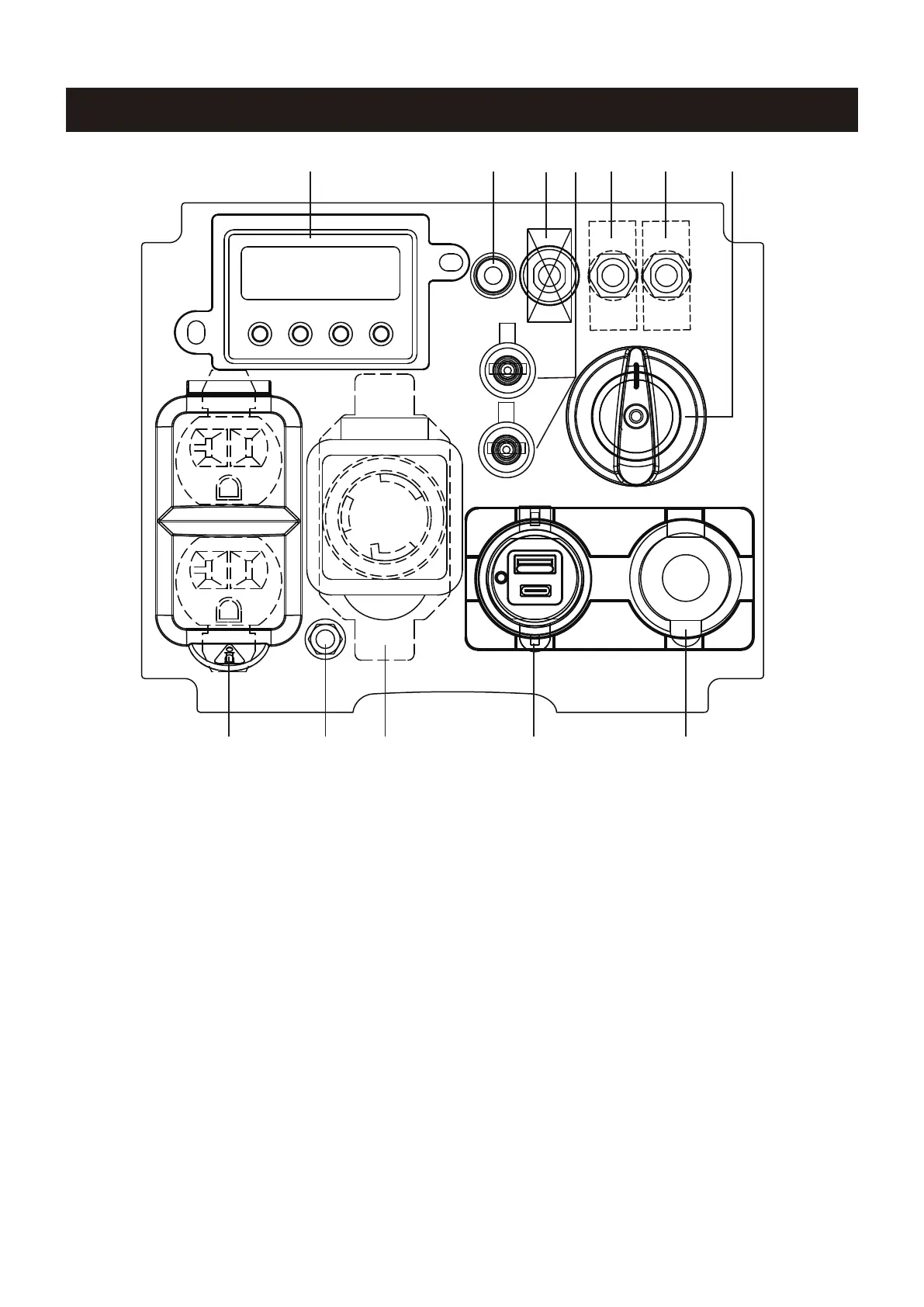
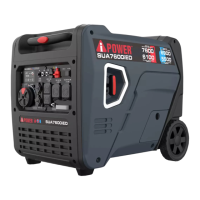
CONTROL PANEL FEATURES
NOTE: Total power drawn from all outlets must not exceed the nameplate rating.
1. LED DATA CENTER: See LED DATA CENTER section.
2. CO (Carbon Monoxide) WATCH-GUARD Indicator
Light (Red for Shut off and Yellow for Service): The
CO(Carbon Monoxide) WATCH-GUARD monitors for the
accumulation of poisonous CO gas around the genera-
tor produced by engine exhaust when the generator is
running. If the CO WATCH-GUARD detects increasing
levels of CO gas, it automatically shuts off the engine.
See CO WATCH-GUARD section for more information.
3. Circuit Breaker(DC): Protects the generator against
electrical overloads.
4. Parallel Operation Outlets: These outlets are used
for connecting two AIPOWER inverter generators for
parallel operation. Do not connect or disconnect parallel
cables while the generator is running to avoid damage.
5. Circuit Breaker(AC): Protects the generator against
electrical overloads.
6. Starting Dial Switch: Used to start and stop the
generator.
7. 12V DC, Outlet (Automotive): Provides 12 volt DC
power up to 8.3 amps.
8. 5V DC USB Outlets: Supply 3.6A USB-A type and
3.0A USB-C type for different applications.
9. 120V AC, 30A Twist Lock Outlet, Single Phase,60
Hz Outlet (NEMA L5-30R):
This receptacle can provide
120 volt output up to 30 amps.
10. Ground Terminal: The ground terminal is used to
ground the generator.
11. 120V AC, 20A Duplex, Single Phase, 60 Hz Outlets
(NEMA 5-20R): Each outlet is capable of carrying a
maximum of 20 Amp on.
12V
1 2 3 5 5 6
7891011
4


 To Next Page