www.iprosecu.com
4. Server Settings
The settings of Email, FTP and SAMBA are used when the event happens,
schedule snapshot executes, or the alarm input is triggered. Select the item to
display the detailed configuration options. You can configure either one or all of
them.
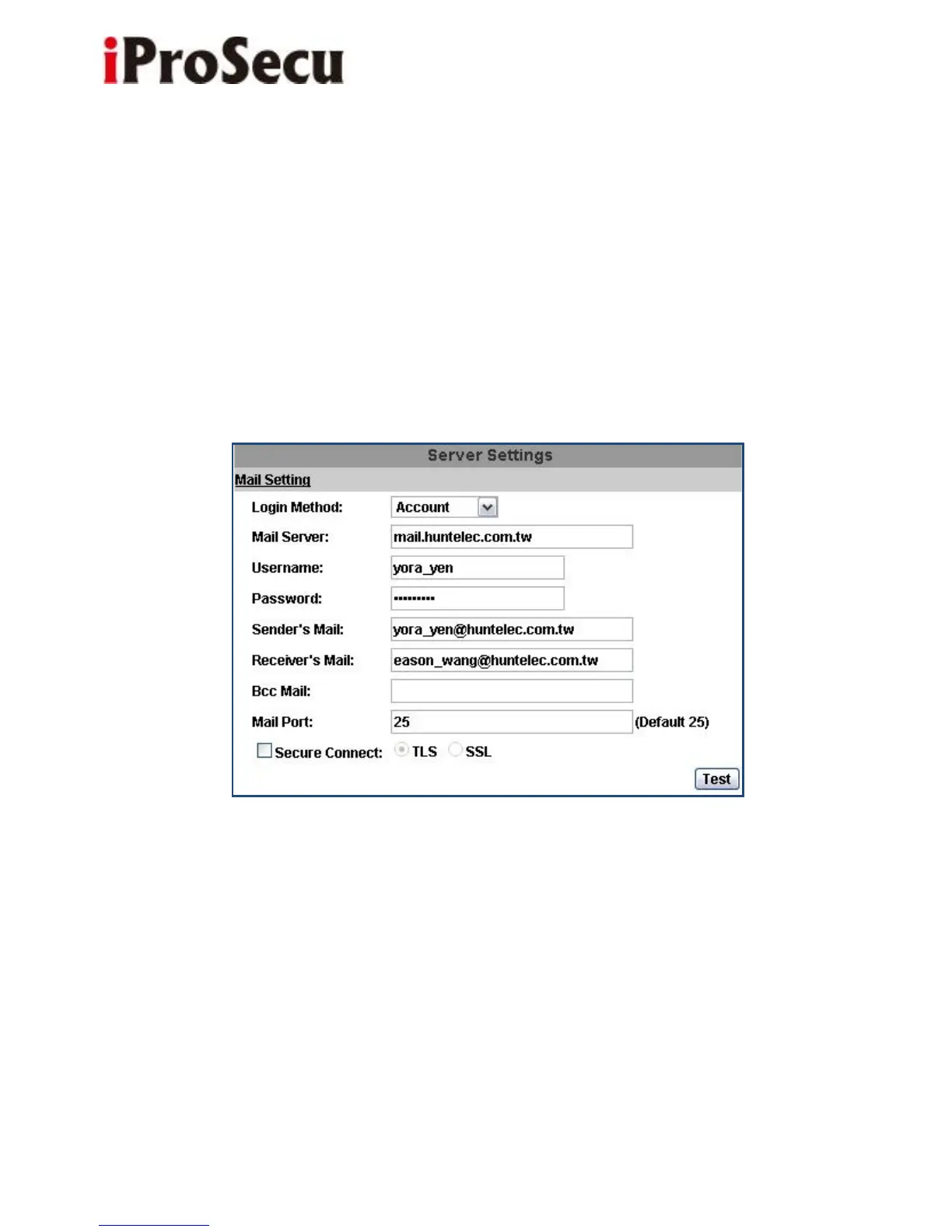
a. Mail Settings
Set up the server address and account information of your e-mail. Click “Apply”
to save the setting, then use “Test” button to test the server connection. A
message box will tell you “OK!” if it works, and a test e-mail will be sent to
receiver’s mail address.



 To Next Page