InfiRay Outdoor • Geni GL35R Series • Quick Start Guide www.infirayouordoor.com
All rights reserved and shall not be copied and distributed in any form without written permission
➢ Select the Pixels Defect Calibration option with the Z (5) / C
(3) button in the More submenu.
➢ Briefly press of the M (4) button to enter the pixels defect
calibration interface.
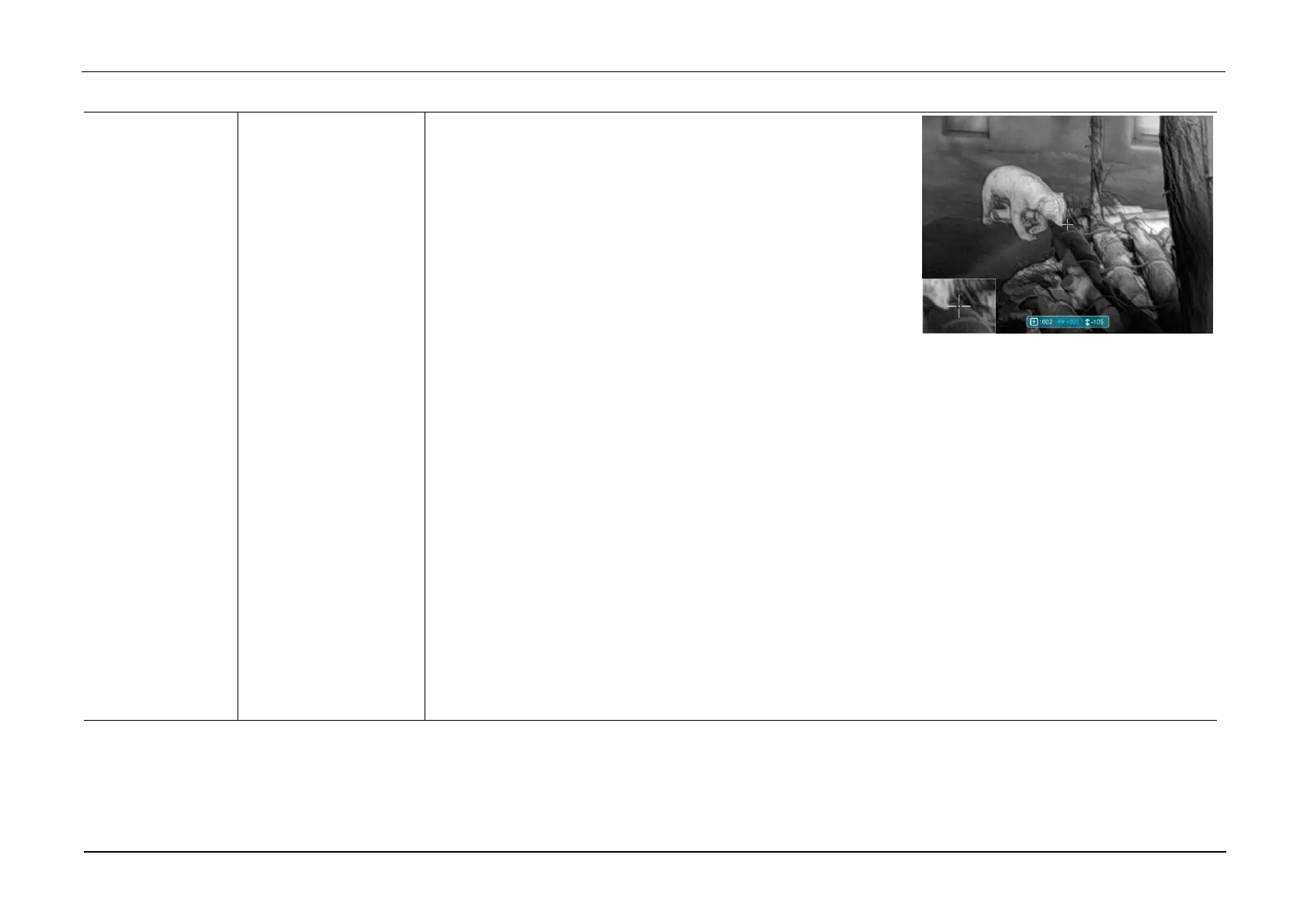
➢ A small cross cursor instead of the reticle will appear on the
center of the screen.
➢ The Picture in Picture (PIP) window will appear on the lower left corner of the screen. A tooltip is appeared
on the bottom of the screen that displays the number of the blind pixels calibrated, the movement direction
and location.
➢ Move the cursor to align with the defective pixel with a short or long press the Z (5) / C (3) button. Short
press to move one pixel every time and long press to move ten pixels once.
➢ Switch the movement direction with a short press of the M (4) button.
➢ After selecting the blind pixel, long press Z (5) + C (3) button to calibrate the defective pixel, and press the
same button again for cancelation.
➢ Repeat the above processes until all blind pixels are calibrated.
➢ Press and hold the M (4) button to save the calibration and exit to the More submenu.



 To Next Page