All rights reserved and shall not be copied and distributed in any form without written permission
11th Guiyang Street, YEDA,
Yantai 264006, P. R. China
400-998-3088
E. Reticle On/Off
Press and hold the P+C button simultaneously for three seconds and click
the M button four times to invoke the reticle for the first time use.
Press and hold P + M + C button simultaneously for three seconds to achieve the
Shortcut key for switch the reticle on/off. This function should be activated when the
reticle first enabled.
When the reticle is turned off, all the operations related to it in the menu will be
hidden, including the adjustment of the reticle color and pattern (in shortcut menu 3),
the options of zeroing and blind pixel correction in the advanced menu.
F. Shortcut Menu
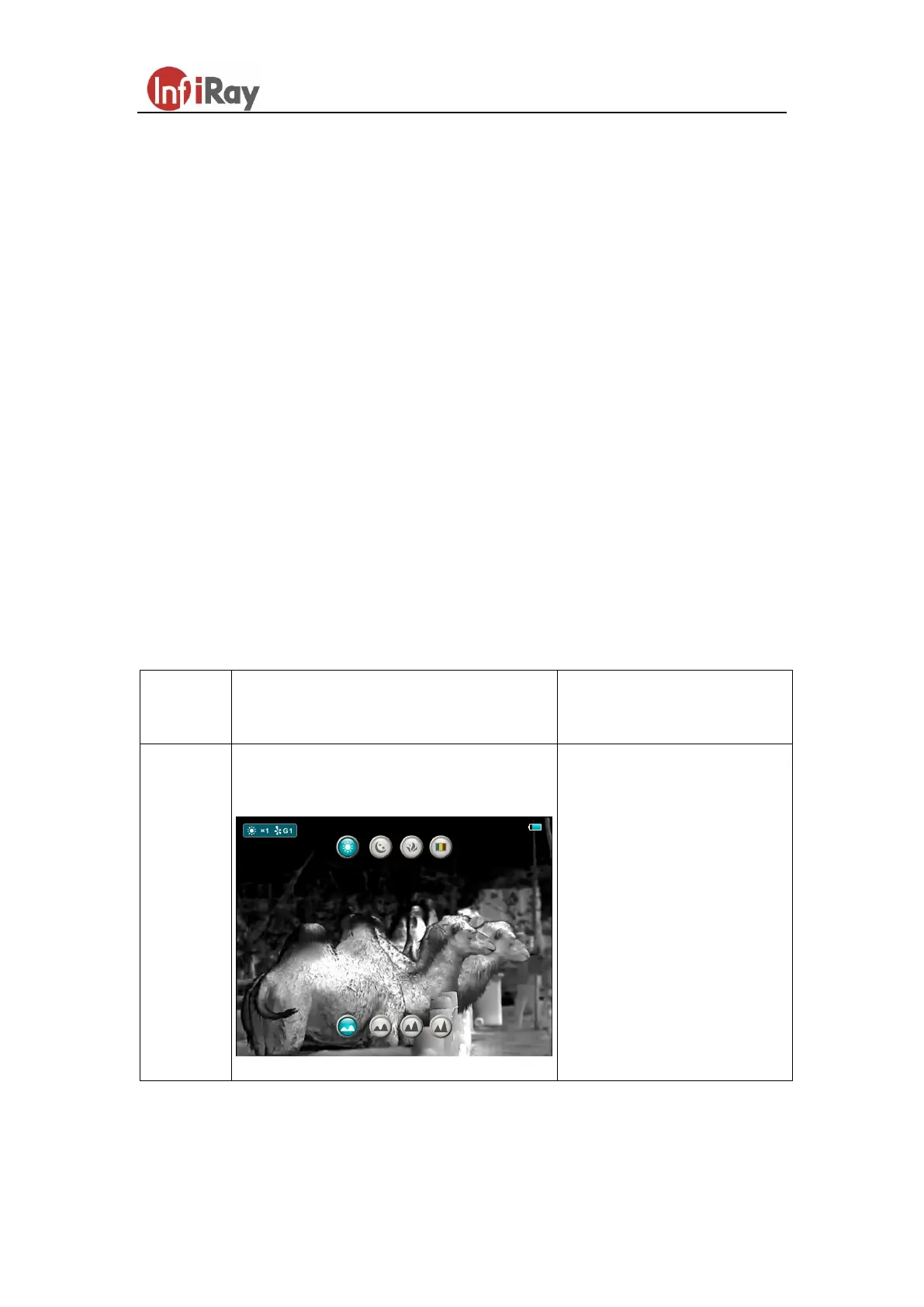
In the normal mode, short press the M button to pop up the shortcut menu, including
the image palette, image sharpness, digital zoom, display brightness, reticle color,
reticle pattern, for detail as shown in table1.
Table 1. Shortcut Menu
Pop up Shortcut Menu1 to adjust palette
and image sharpness
Short press P button to
switch the image palette
type: white hot, black hot,
red hot and rainbow.
Press C button to adjust 1
to 4 sharpness level.



 To Next Page