5
TROUBLESHOOTINGFAQsPATCH REMOVAL TRAVELING
4
USING ZIO
Additional Tips:
You may start to feel itchy under the
patch, but please keep the patch on
unless the itching becomes severe.
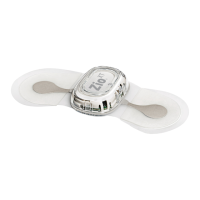
If the patch starts to peel o, press
evenly on the wings of the patch for
3 to 5 minutes.
Too much sweating can cause the
patch to loosen or fall o.
Protect the gateway from water at all
times. Do not submerge the patch in
water. Keep showers brief and avoid
swimming or hot tubs.
Try not to place the gateway within
six feet of transmitting devices, such
as wireless routers, baby monitors
and TV senders/ transmitters. These
devices may cause interference
between the patch and the gateway.
Use myZio to enter your symptoms and
check symptomatic transmissions sent
from your gateway. You’ll also have access
to instructions and support videos.
Note: transmissions may take time to
appear online.
iPhone® users
1. Search for ‘myZio’ in the App Store
SM
2. Download app
3. Register before entering symptoms
Android
™
users
1 . Search for ‘myZio’ in the Google Play™
Store
2. Download app
3. Register before entering symptoms
Computer users
1. Open your web browser
2. Navigate to www.myZio.com
3. Register before entering symptoms
Supported on iPhone 5 or later (iOS 9+).
Supported on Android 4.4+
iPhone, App Store and the Apple logo are registered trademarks of
Apple Inc.


 To Next Page