7
USING ZIOPATCH REMOVAL TRAVELING
6
FAQs
TROUBLESHOOTING:
GATEWAY
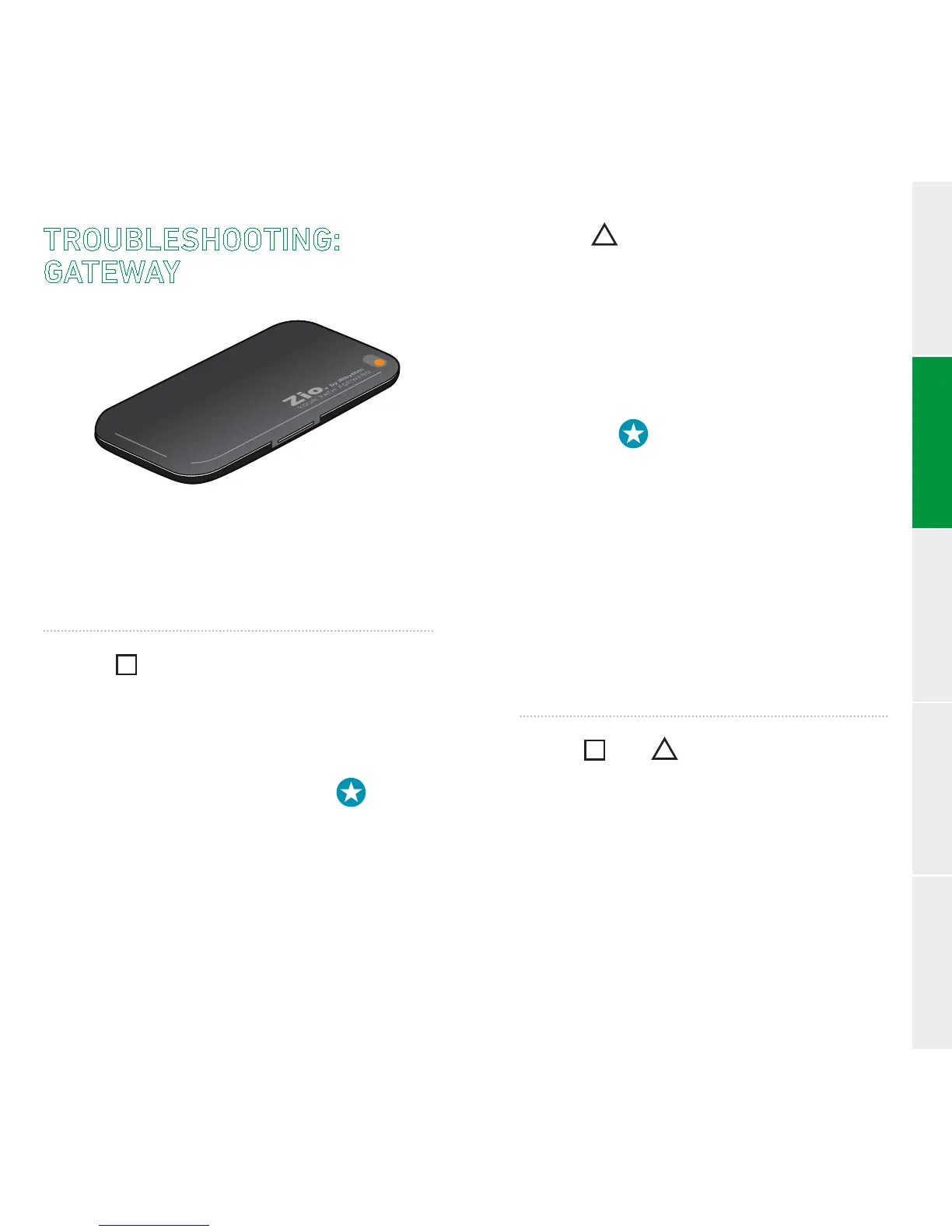
If the light on the outside of your
gatewayisashing,checkinside.
SLOW FLASHING
(once every 3 seconds):
Indicates that the gateway has lost the
connection to your patch.
To reconnect, hold the star button for
3 seconds until the orange light stays on.
If the light ashes green, the gateway has
reconnected to the patch.
Iforangeashingcontinues, call Customer
Service at 1.888.693.2401.
SLOW FLASHING
(once every 3 seconds):
Indicates that the gateway does not have a
cellular connection.
To reconnect, move the gateway to a
place with a good cellular connection
(near a window or outside) and hold the
star button for 3 seconds until the
orange light stays on.
If the light ashes green, the gateway has
reconnected. Do not move the gateway until
the green ashing stops.
If it does not ash green, move to a new
location and try again.
Iforangeashingcontinues, call Customer
Service at 1.888.693.2401.
FAST OR FLASHING
(3 times per second):
Fastashingindicatesthatyourgateway
is not working. Call Customer Service at
1.888.693.2401.
TROUBLESHOOTING


 To Next Page