15510-EN Rev G Operation 15
3
Operation
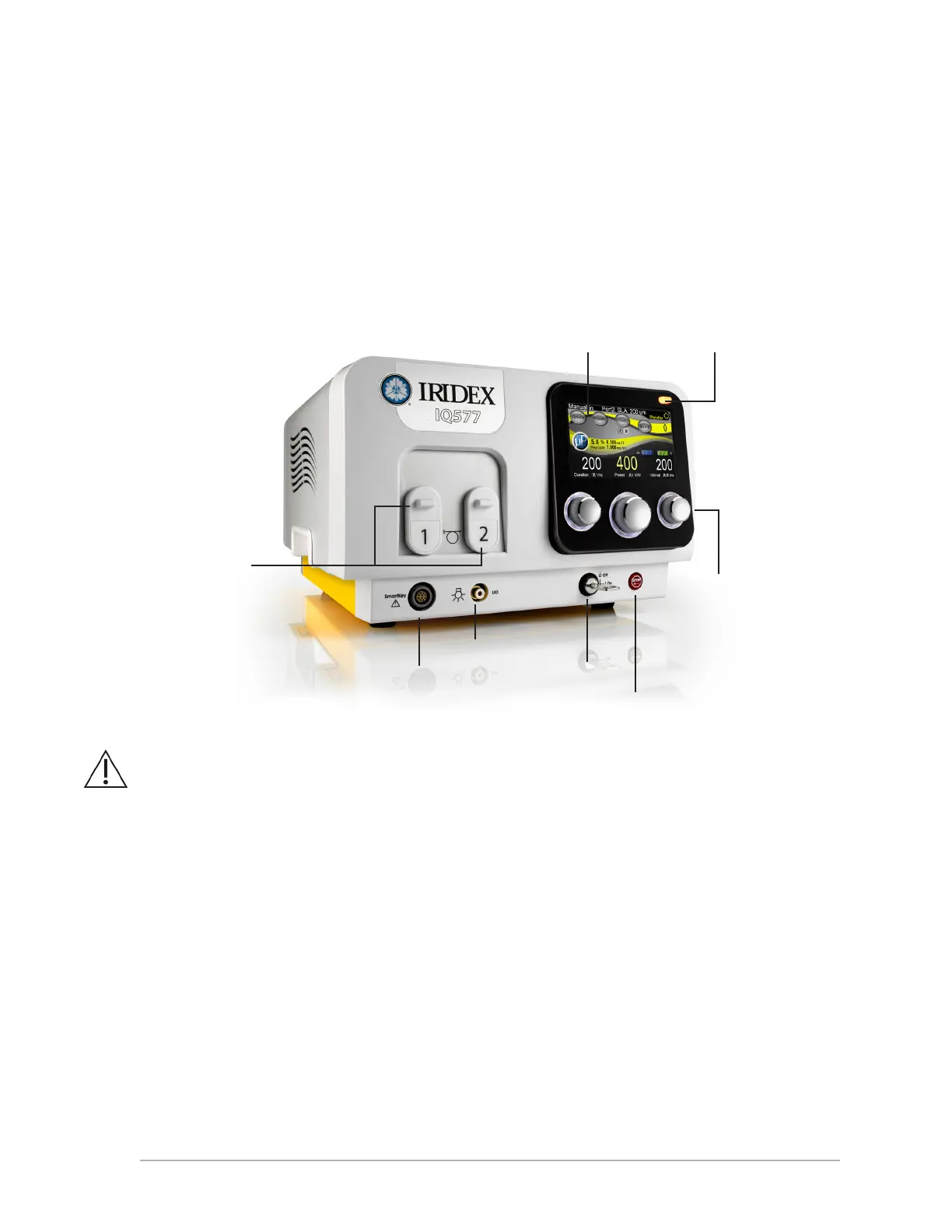
Front Panel Controls
CAUTION: When no delivery device is attached to the system, ensure that the fiber ports are closed.
Powering the Laser On and Off
• Toturnthelaseron,turnthekeytotheOnposition.
• Toturnthelaseroff,turnthekeytotheOffposition.Removeandstorethekeytoprevent
unauthorized use.
NOTE: The key can be removed in the Off position only.
• Inanemergency,presstheredEmErgEncy Stop button. This immediately disables the console and
all laser related circuits.
Treat/Standby button
SmartKey
Control knobs (3)
Keyswitch
Fiber ports
(See Caution
below)
LIO connector
Emergency
Stop button
Touchscreen
display



 To Next Page