15510-EN Rev G Operation 23
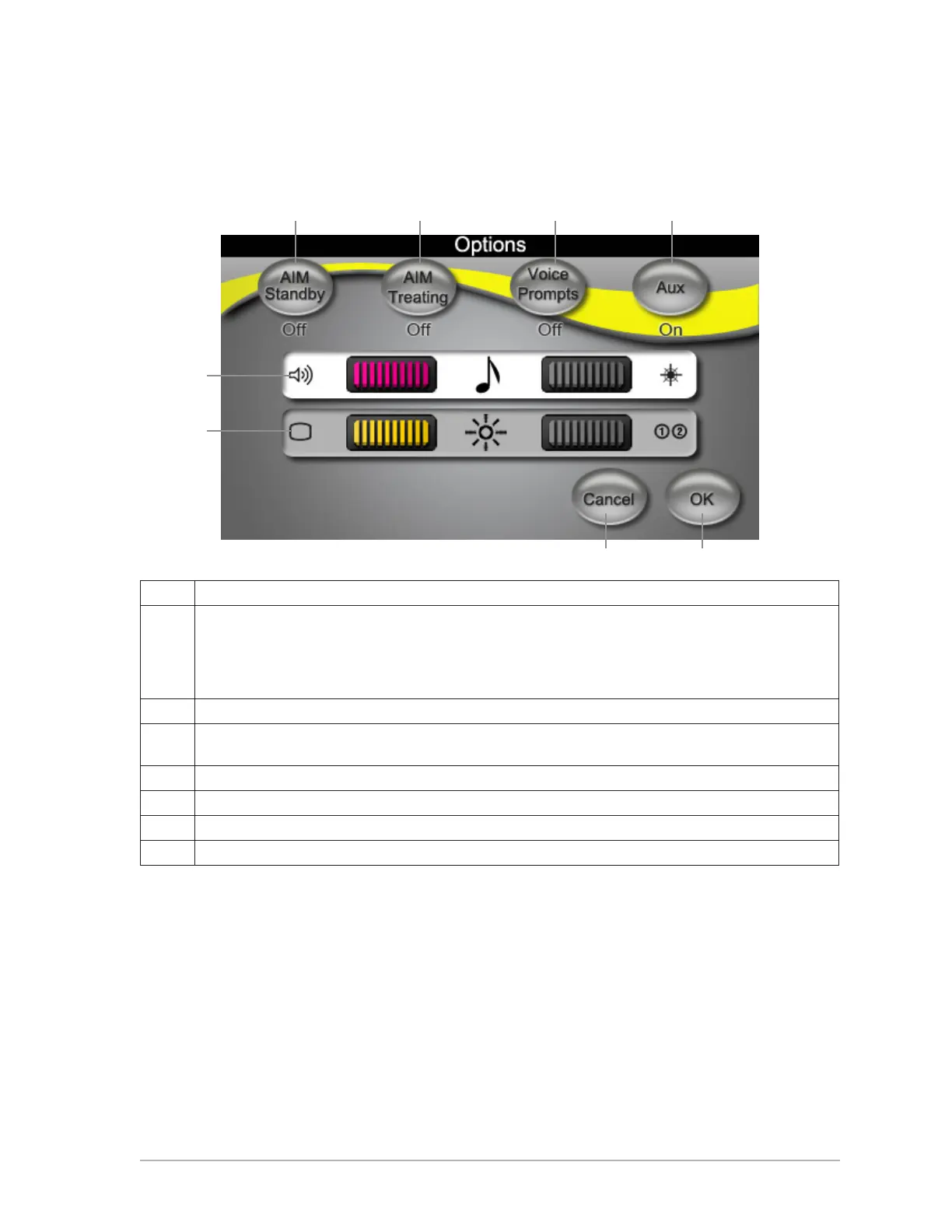
Options Screen
To access the Options screen, touch optionS.
A Set aiming beam in Standby: ON or OFF.
B Set aiming beam in Treat:
• OFF: Aiming beam OFF while footswitch is depressed.
• ON: ON at all times.
• Blink: Blink at xed rate (not synchronized with laser settings).
C Set voice prompt: Female, Male, OFF. Use only when adjusting power with footswitch.
D Set Auxiliary: ON in Standby or ON in Treat. Operate a warning light or auditory signal outside the
treatment room.
E Press bar to select it (white=active bar). Use control knobs to set volume.
F Press bar to select it (white=active bar). Use control knobs to set brightness.
G Discard changes and return to Treat screen.
H Save changes and return to Treat screen.
E
A B C D
G H
F



 To Next Page