Iridium GO! exec Quick Start Guide 98 Iridium GO! exec Quick Start Guide
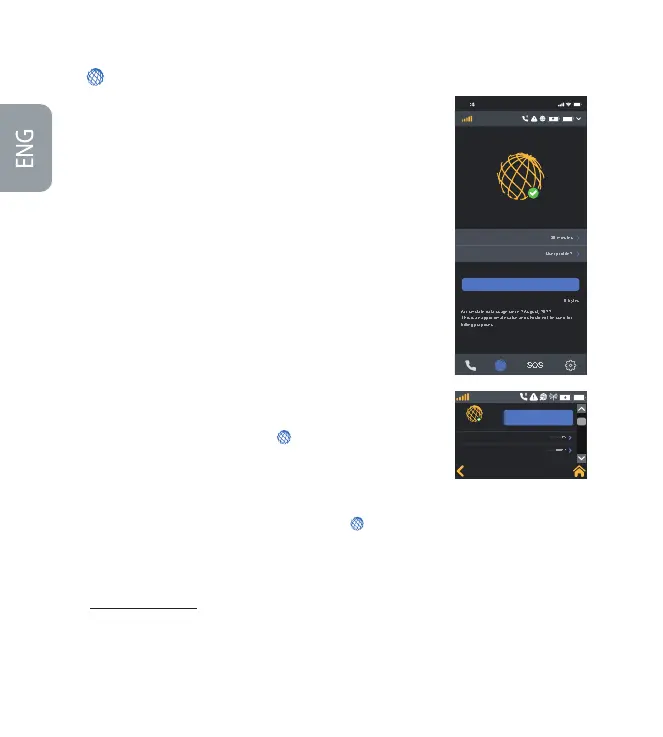
As satellite data is more expensive than cellular data, it is important to only
allow the data you want to go over the satellite network. Iridium’s Connection
Manager helps you control and manage how you use the internet.
The Connection Manager consists of three items:
• Automatically Disconnect After: Allows you to select the duration of
your internet call. Additional time can be added as required.
• App/Web Prole: Allows you to select the appropriate app or website
link you wish to use. Only one App/Web prole can be selected at a time.
• Data Usage Counter: Displays the accumulated data usage. The counter
can be reset from the settings option on the Iridium GO! exec app. This is
not meant to be used for billing purposes and is just an indicator for how
much data is used.
3. Internet
Using Iridium® Internet
Data on the Iridium GO! exec can be used either wirelessly over Wi-Fi or wired
over the ethernet connection. For detailed information please refer to Help
section in the app or the user manual.
Using App:
• To use data on your smart device go to Internet Select
Automatically Disconnect After time duration (example: 15mins)
Choose required App/Web Prole (example: Whatsapp) Exit Iridium GO!
exec app Go to selected App/Web example: Open Whatsapp)
Using Device:
• Connect to the device via Wi-Fi or ethernet, then go to Internet
Select Automatically Disconnect After time duration (example:
15mins) Select required App/Web Prole example: Browsing) Go to
selected App/Web Prole on the connected device. If connected via
ethernet to laptop open browser and search for desired URL (example:
http://lite.cnn.com/en)
When a data session is in progress the user can use the Device or App at any
time to add more time or switch between App/Web Proles as required.
User can also terminate data session manually if needed.
9 1
Internet
Connected
Connection Manager
Disconnect
User profile 2 description
Data Usage Counter
alue and should not be used f
Automatically Disconnect After
App/Web Profile
Iridium
SOS
Connected
Automatically Disconnect After
App/Web Profile
User profile 2 description
Disconnect
SOS
Iridium


 To Next Page
 Loading...


