9
Preparation
→
!
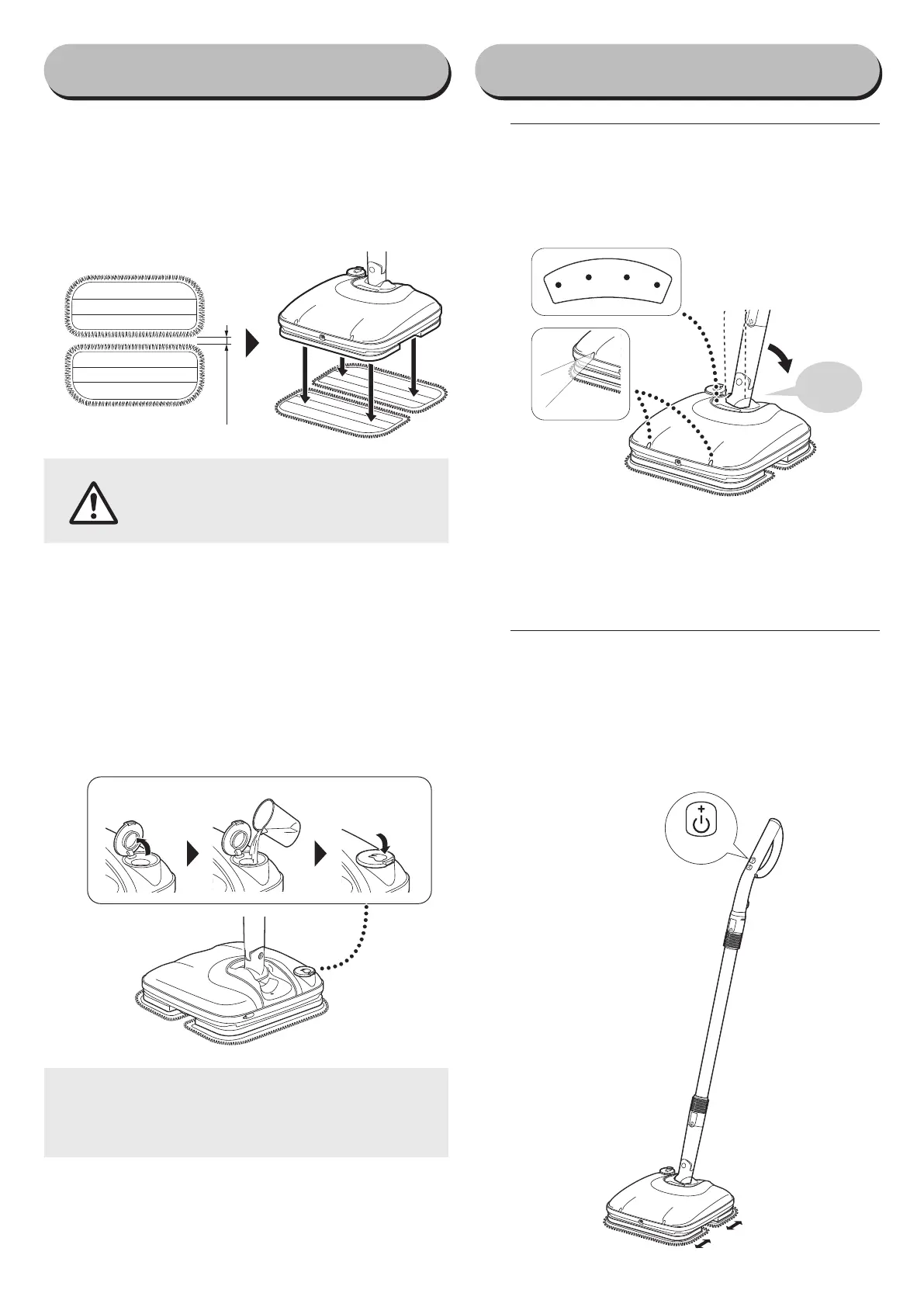
want to clean, and push the swivel into
place until hearing it "click"
• Turn on the power, and then the battery indicator
lights and the LED headlights will light up.
Click
※
If you go for 3 minutes without operating the prod-
uct while the power is turned on, the power will
When resuming operation, stand the swivel back up verti-
cally and then push it down once again.
#
Press the start button
Press the start button, and the mop pads will begin
moving back and forth.
• W
henever this button is pressed, the mode gets switched
from "high" to "low" to "stop" and then back to "high."
• W
hen the mop pads is moving, move the mop head
forward and back slowly without using excessive force.
Press
How to use
■
Attaching the mop pads
!
Open the mop pads, leaving a space of about
#
Press down on the mop head from above to at-
tach the mop pads.
3cm
●
Do not press down forcefully on the
Mop head.
Doing so may cause injury or malfunc-
tion.
■
Putting water in the water
reservoir
!
Open the water reservoir.
#
Use the measuring cup to put tap water in the
water reservoir.
• Do not put more than 90ml. of water into the Wa-
ter Reservoir.
$
Close the water reservoir tightly.
●
as mineral water or cleaning solution) into the
water reservoir.
Doing so may cause malfunctioning in the nozzle.


 To Next Page