5
1.5 Charge your Inspire Phone
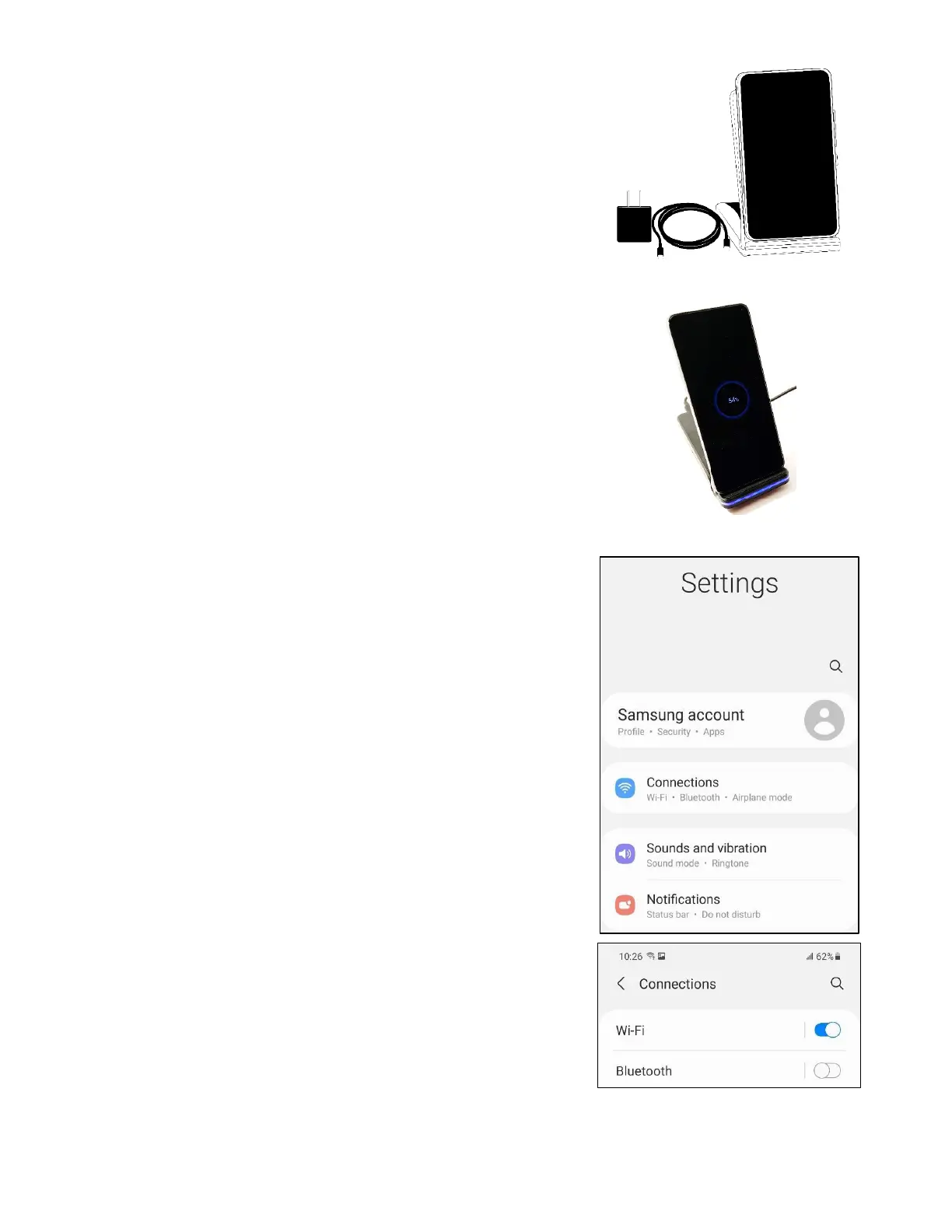
Follow the steps below to charge your
Inspire phone (see images to the right):
1. Connect the cable to the power supply.
2. Connect the other end of the cable into
the base of the folding stand-up charger.
3. Plug the power supply into an outlet and
place the Inspire phone face up on the
stand-up charger. The base will emit a
slow blinking blue light when charging and
turn to green when completely charged.
1.6 Connect to Wi-Fi
Connect the Inspire phone included with
your Inspire device to a Wi-Fi network using
the phone’s settings. Follow these
instructions listed below:
● Swipe up from the center of the display.
● Select settings.
● Select connections.
● Select Wi-Fi.
● Turn on (toggle) Wi-Fi.
● Select the wireless network you want to
connect to.
● Enter the Wi-Fi password and select
Connect. You are now connected to the
Wi-Fi network.
Contact IrisVision Customer Support if you
need assistance or have any questions.



 To Next Page