IPU 40060 Issue 9
Page 24 of 27
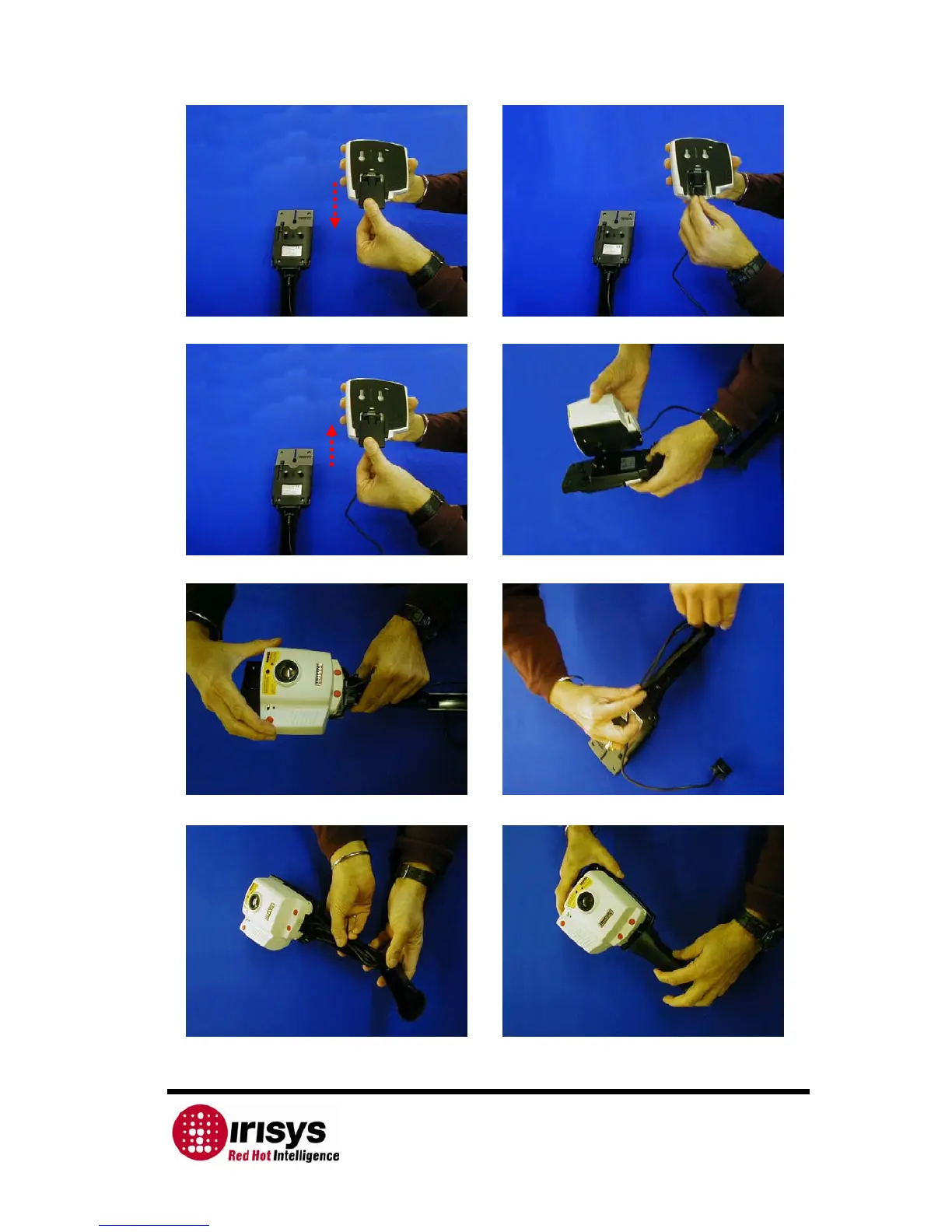
13) Remove the RS232 connector cover from the 14) Plug in the free end of the serial
thermal imager. synchronization connector into the imager.
15) Replace the RS232 connector cover. 16) Line up the holes on the back of the imager
with the pegs on the handle.
17) Push the imager down onto the pegs, so 18) Coil up the serial synchronization cable, so
that it locks down into position. that it will fit into the handle grip.
19) Push the coiled up cable into the handle 20) Close the handle grip, so that it clicks back
grip. into position.



 To Next Page