Using the Device
17
Aux-in
Mode
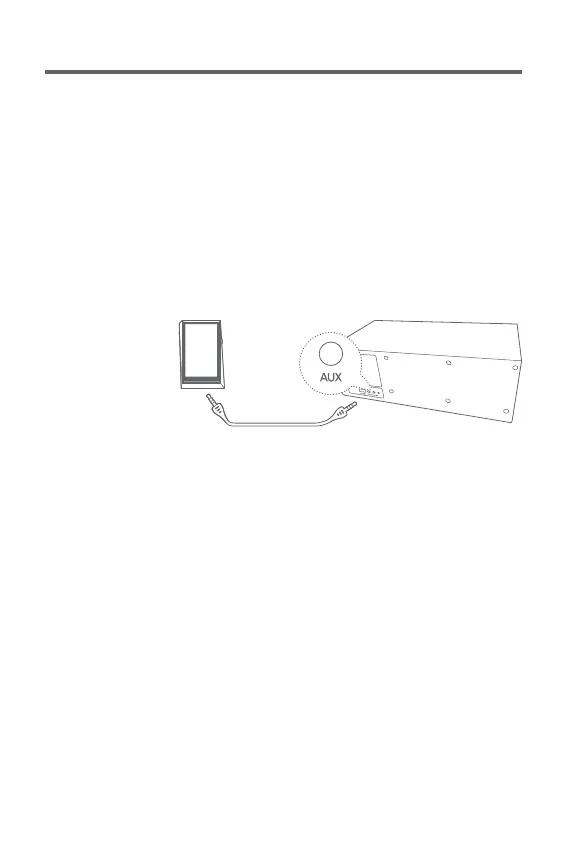
Connecting an External Device
Replays music by connecting with devices that do not
support Bluetooth or NFC
1. Connects an external device with the device’s [Aux Input
Port] through an audio cable (3.5 mm)
2. Select [Aux] by turning the [Power/Menu] knob in front
of the device.
3. You can replay music by using the connected external
device.
User Guide


 To Next Page