Getting Started
06
User Guide
Power
Manage-
ment
Turning the Device On/Off
1. Power is turned on if you select a menu of your choice
by turning the [Power/Menu] wheel of the device.
2. Power is turned off if you turn the [Power/Menu] knob
to [Off].
Standby mode
1.
The device will turn to a standby mode automatically if there
is no input for 15 minutes on a connection standby mode.
2. You can lift the standby mode by pressing any button on
the device.
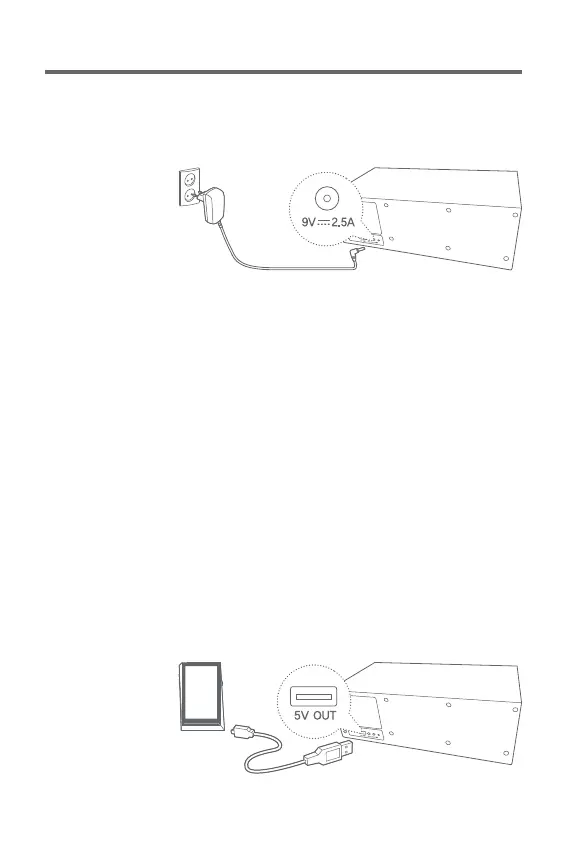
Connecting Power Supply
1. If you connect the power adaptor's plug to [DC input port]
on the back of the device, power will be turned on.
Recharging mobile device
1. If you connect the device with [USB output for recharging]
on the back of the device, the device will be recharged.
(DC 5V/1A)


 To Next Page