EasyManua.ls Logo

IRiver T5 - Page 30

IRiver T5
40 pages
Print Icon
To Next Page IconTo Next Page
To Previous Page IconTo Previous Page
Loading...
Using
iriver
plus
3
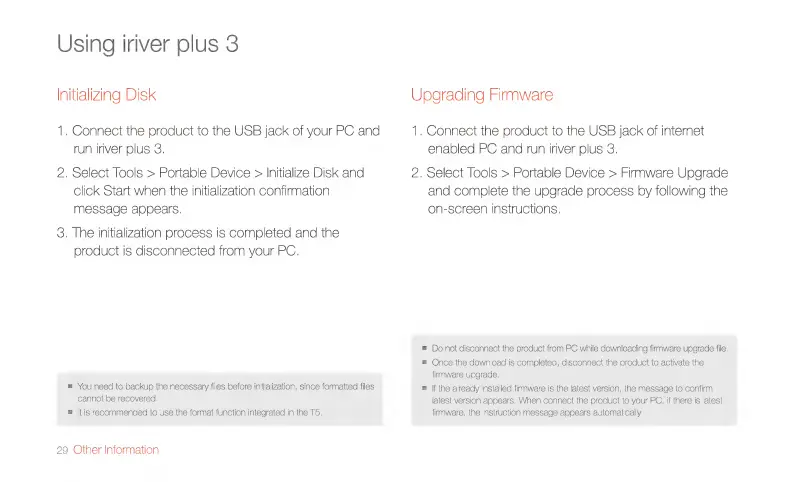
Initializing
Disk
1.
Connect
the
product
to
the
USB
jack
of
your
PC
and
run
iriver
plus
3.
2.
Select
Tools
>
Portable
Device
>
Initialize
Disk
and
click
Start
when
the
initialization
confirmation
message
appears.
3.
The
initialization
process
is
completed
and
the
product
is
disconnected
from
your
PC.
m
You
need
to
backup
the
necessary
files
before
initialization,
since
formatted
files
cannot
be
recovered.
E
|t
is
recommended
to
use
the
format
function
integrated
in
the
T5.
29
Other
Information
Upgrading
Firmware
1.
Connect
the
product
to
the
USB
jack
of
internet
enabled
PC
and
run
iriver
plus
3.
2.
Select
Tools
>
Portable
Device
>
Firmware
Upgrade
and
complete
the
upgrade
process
by
following
the
on-screen
instructions.
m
Do
not
disconnect
the
product
from
PC
while
downloading
firmware
upgrade
file.
=
Once
the
download
is
completed,
disconnect
the
product
to
activate
the
firmware
upgrade.
=
|f
the
already
installed
firmware
is
the
latest
version,
the
message
to
confirm
latest
version
appears.
When
connect
the
product
to
your
PC,
if
there
is
latest
firmware,
the
instruction
message
appears
automatically,

Related product manuals