EasyManua.ls Logo

IRiver T5 - Page 39

IRiver T5
40 pages
Print Icon
To Next Page IconTo Next Page
To Previous Page IconTo Previous Page
Loading...
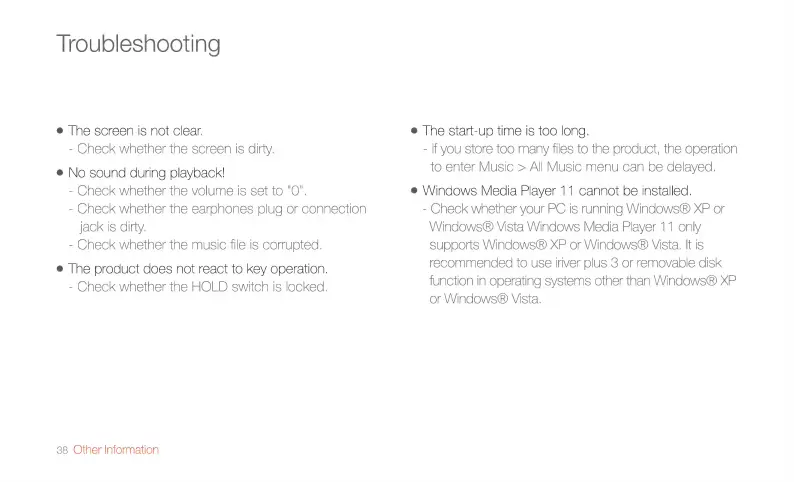
Troubleshooting
e
The
screen
is
not
clear.
-
Check
whether
the
screen
is
dirty.
e
No
sound
during
playback!
-
Check
whether
the
volume
is
set
to
"O",
-
Check
whether
the
earohones
plug
or
connection
jack
is
dirty.
-
Check
whether
the
music
file
is
corrupted.
e
The
product
does
not
react
to
key
operation.
-
Check
whether
the
HOLD
switch
is
locked.
38
Other
Information
e
The
start-up
-
lf
you
store
time
is
too
long.
too
many
files
to
the
product,
the
operation
to
enter
Music
>
All
Music
menu
can
be
delayed.
e
Windows
Media
Player
11
cannot
be
installed.
-
Check
whether
your
PC
is
running
Windows®
XP
or
Windows®
supports
W
Vista
Windows
Media
Player
11
only
indows®
XP
or
Windows®
Vista.
It
is
recommended
to
use
iriver
plus
3
or
removable
disk
function
in
operating
systems
other
than
Windows®
XP
or
Windows®
Vista.

Related product manuals