13Roomba® Vac 2 Essential robot + AutoEmpty™ dock Owner’s Guide
EN
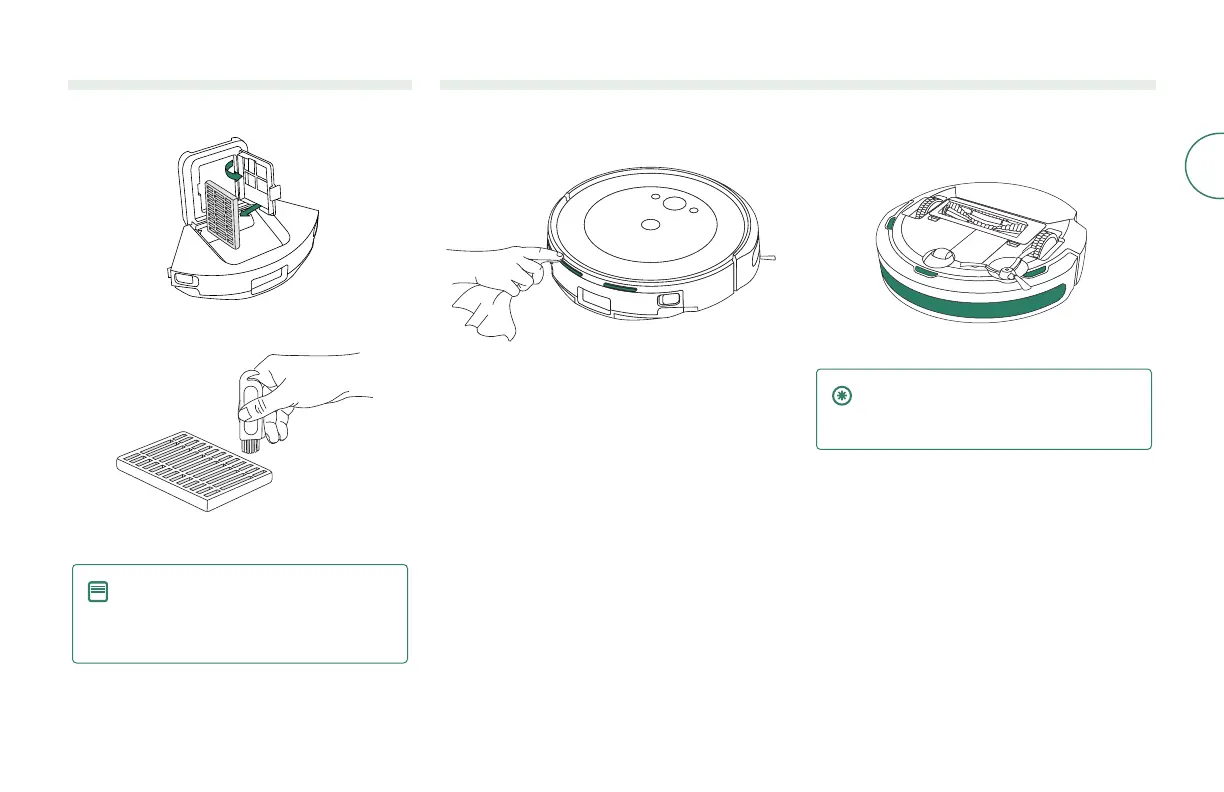
Cleaning the lter
1
Remove the bin. Open bin door and remove lter.
2
Remove debris with cleaning brush.
3
Reinsert lter and place bin back in the robot.
NOTE: The lter can be rinsed with
water. Make sure it is completely dry
before reinstalling. Frequent rinses are
not recommended.
Cleaning the charging contacts and sensors
Wipe charging contacts and sensors with a clean, dry cloth.
CHARGING CONTACTS SENSORS
IMPORTANT: Do not spray cleaning
solution or water onto the sensors or
sensor openings.



 To Next Page