12 For more information, visit global.irobot.com
EN
1
3
2
4
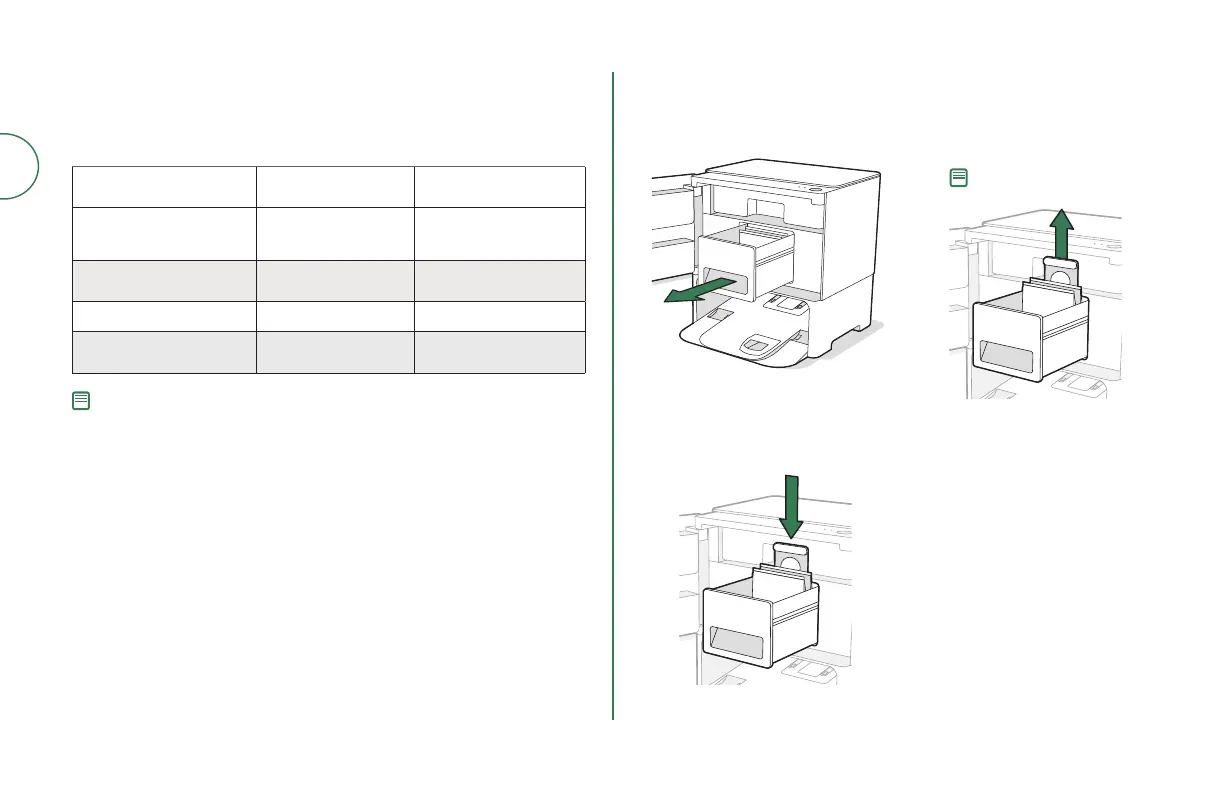
Use pull tab to open door and
remove Debris Bag Drawer.
Install a new bag, sliding the
plastic card into the guide rails.
Pull up on the plastic card
to remove the bag from the
canister. Discard the used bag.
Reinstall the Debris Bag Drawer
and close the door making
sure it is completely closed.
Note: This will seal the bag so
dust and debris cannot escape.
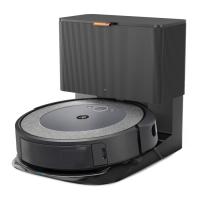
Care and Maintenance Instructions for Your Clean
Base® Auto-Fill Dock
To keep your Clean Base® Auto-Fill Dock running at peak performance, perform
the procedures on the following pages.
Part Care Frequency Replacement
Frequency*
Bags - Bags should be replaced
when prompted by the LED
indicator / app
Refill Tank Rinse and refresh water
as needed
-
Charging Contacts Clean every 2 weeks -
Sensors, IR Window, Visual
Docking Target
Clean once a month -
Note: iRobot manufactures various replacement parts and assemblies. If you think you
need a replacement part, please contact iRobot Customer Care for more information.
* Replacement frequency may vary. Parts should be replaced if visible wear appears.
Replacing the Bag



 To Next Page