3
XEBEX TREADMILL
CONSOLE OVERVIEW
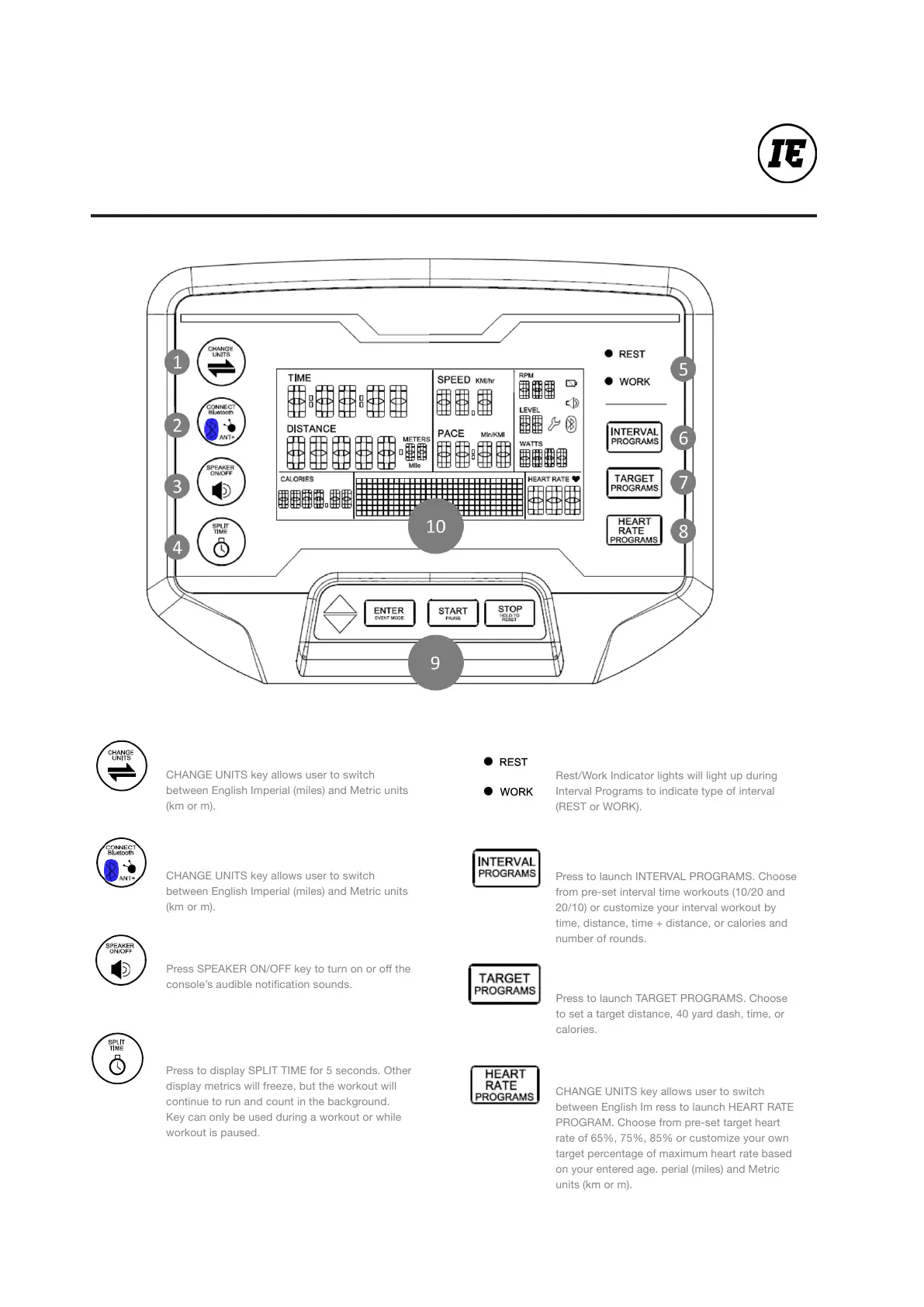
CHANGE UNITS key allows user to switch
between English Imperial (miles) and Metric units
(km or m).
1 . Change Units
CHANGE UNITS key allows user to switch
between English Imperial (miles) and Metric units
(km or m).
2 . Connect
Press SPEAKER ON/OFF key to turn on or off the
console’s audible notication sounds.
3. Speaker
Press to display SPLIT TIME for 5 seconds. Other
display metrics will freeze, but the workout will
continue to run and count in the background.
Key can only be used during a workout or while
workout is paused.
4. Split Time
Rest/Work Indicator lights will light up during
Interval Programs to indicate type of interval
(REST or WORK).
5. Rest/Work
Press to launch INTERVAL PROGRAMS. Choose
from pre-set interval time workouts (10/20 and
20/10) or customize your interval workout by
time, distance, time + distance, or calories and
number of rounds.
6 . Interval Programs
Press to launch TARGET PROGRAMS. Choose
to set a target distance, 40 yard dash, time, or
calories.
7 . Target Programs
CHANGE UNITS key allows user to switch
between English Im ress to launch HEART RATE
PROGRAM. Choose from pre-set target heart
rate of 65%, 75%, 85% or customize your own
target percentage of maximum heart rate based
on your entered age. perial (miles) and Metric
units (km or m).
8. Heart Rate Program


 To Next Page