Need help?
Do you have a question about the IRONEDGE XEBEX and is the answer not in the manual?
Essential safety precautions for using the treadmill, including reading all instructions before assembly and use.
Highlights critical risks, particularly regarding electric shock, and advises against using the treadmill with pacemakers.
Advises consulting a physician before starting an exercise program and discontinuing use if abnormal symptoms occur.
General safety warnings to prevent injury, emphasizing the non-motorized nature and proper use of handrails.
Allows switching between English Imperial (miles) and Metric (km/m) units for display.
Enables console connectivity via Bluetooth and ANT+ for data transfer or integration.
Controls the on/off state of the console's audible notification sounds.
Displays split times for 5 seconds during a workout, with other metrics freezing.
Lights that indicate the type of interval (REST or WORK) during Interval Programs.
Launches pre-set or custom interval training routines with variable work/rest periods.
Allows users to set specific goals for distance, time, or calories for workouts.
Enables targeting specific heart rate zones for optimized cardiovascular training.
Explains the function of console buttons like UP/DOWN, ENTER, START, and STOP for operation.
Details the metrics displayed on the console screen, such as time, speed, distance, and calories.
The initial console state when powered on, displaying 'PRESS START' and timing out after inactivity.
Automatically entered after ten minutes of inactivity to conserve power.
Temporarily halts the workout when the START key is pressed, indicated by 'PAUSED'.
Displays summary workout metrics upon program completion or manual stop.
Allows users to begin a workout immediately by pressing START or running.
Offers various interval training routines like 20/10 and 10/20, or custom configurations.
Lets users define custom work time, rest time, and the number of intervals.
Allows setting custom work distance, rest time, and number of intervals.
Enables custom setting of work calories, rest time, and number of intervals.
Programs where users set a single target value for time, calories, or distance.
User specifies a target duration goal for the workout.
User specifies a target calorie burn goal for the workout.
User specifies a target distance goal for the workout.
Combines distance and time goals to track pace and ensure goal achievement within limits.
A specific program designed for sprint training, focusing on completing 40 yards.
Programs allowing users to target specific heart rate zones for cardiovascular training.
Pre-sets workouts with fixed goals (caloric, time, distance) for competitions or classes.
Explains the benefits of heart rate monitoring for gauging exercise intensity and fitness.
Details the conditions required for the console to accurately detect wireless heart rate signals.
Guides on calculating maximum heart rate based on age and setting target training zones.
Emphasizes that all maintenance and repairs should only be performed by qualified professional personnel.
Tasks for weekly upkeep, including checking unit stability and cleaning visible parts.
Tasks for annual upkeep, including tightening fasteners, cleaning, and lubrication.
Guidelines on safe and effective cleaning methods, avoiding liquids and abrasive materials.
 General
| Brand | IRONEDGE |
|---|---|
| Model | XEBEX |
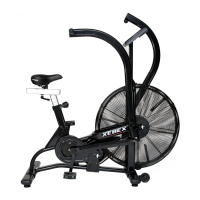
| Category | Exercise Bike |
| Language | English |

 To Next Page