DESCRIPTION OF BUTTONS
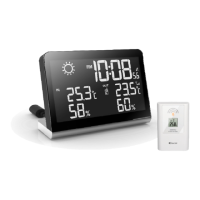
The weather station has 8 major buttons on the rear side:
1. [
] Button
- Pressoncetoswitchfromclockmodetoalarmtimedisplaymode
- While in alarm display, press once to make the alarm icon appear to enable the
daily alarm
- Pressonemoretimetoletalarmicondisappeartodisablethedailyalarm
- Whileinalarmdisplaymode,pressandholdAlarmbuttonfor2secondstoenter
alarm setting mode
2. [MAX/MIN] Button
- ToggletoviewtheMax/MinreadingoftheIndoorandRemoteTemperature.
3. [MENU/SETUP] Button
Pressandholdfor2secondstoenterclocksettingmode
4. [CH] Button
- Presstoselectfromchannels(1,2or3)orenterintoscrollmode
- Pressandholdfor2secondstoactivateordeactivatethesensorsearchingmode
5. [▲]Button
PressoncetoincreasethesettinginCLOCKorALARMsettingmode
6. [▼]Button
PressoncetodecreasethesettinginCLOCKorALARMsettingmode
7. [RESET] Button
Pressoncetotriggersystemresetandrestoreallsettingstofactorydefault
8. [BRIGHT/DIM] Button
Toggle to select bight LED display or a dim LED display
GETTING STARTED
This Weather Station is designed for easy set up. For best operation, the following
steps are required to be done in the proper sequence.
1. Insertbatteriesrsttothemainunit
2. Insertbatteriestothesensorunit
3. Immediately thereafter
connect the main unit to the power adapter
Note:
- The main unit cannot be programmed manually until the wireless remote sensor
unit registration procedure has been completed.
- Position the remote unit and main unit within the same room in a distance of about
1-2 meters.
- Although the remote unit is weather resistant, it should be placed away from direct
sunlight, rain or snow.
~23~
(ENG)


 To Next Page