06
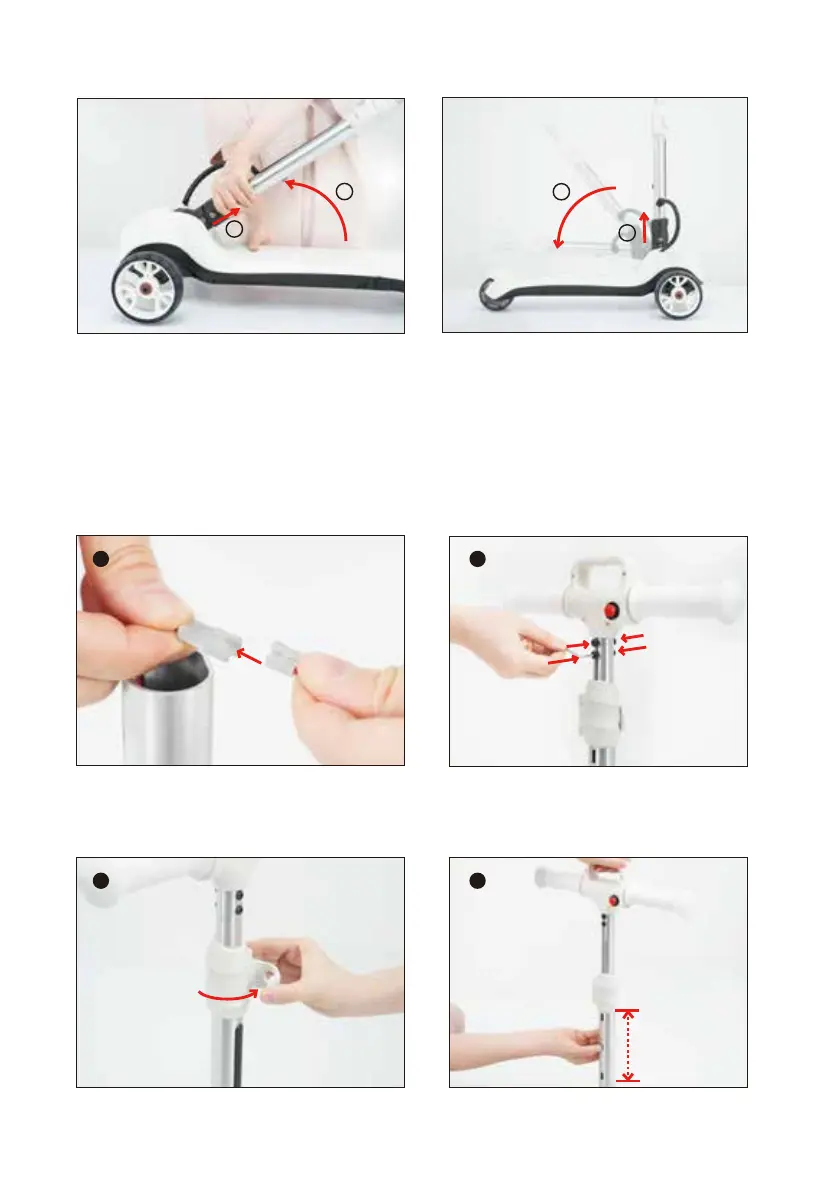
3. Unfold/fold the stem
4. Install the handlebar
Connect the wires correctly and then tighten the 4 screws with a hex key.
3.1 To unfold
While pulling the folding mechanism
in the direction of the arrow, raise
the stem until it is vertical to the
deck and clicks into place.
3.2 To fold
While pulling the folding mecha-
nism in the direction of the arrow,
lower the stem down towards the
deck until it clicks into place.
1
1
2
2
1 2
5. Adjust the handlebar height
Open the stem clamp lever. Press in the stem pin and raise or lower the
handlebar until the pin clicks into another stem pin hole.
1 2


 To Next Page