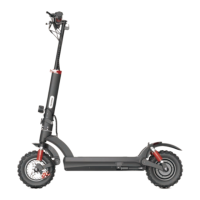
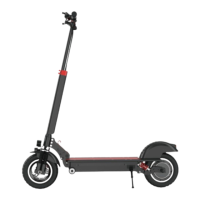
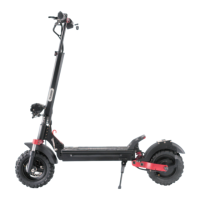
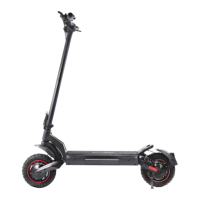
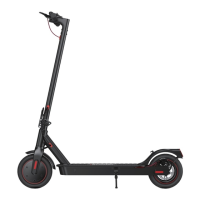
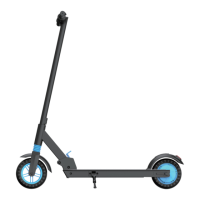
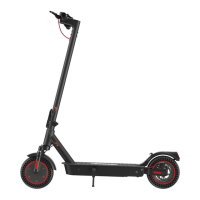
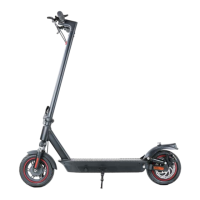
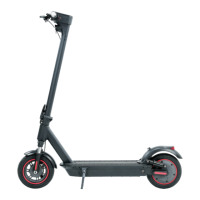
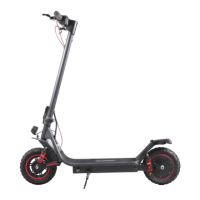
The iScooter iX4 is an electric scooter designed for personal transportation, offering a blend of performance, safety, and user-friendly features. It is equipped with an intuitive display, a robust braking system, and a companion app for enhanced control and information.
Function Description
The iScooter iX4 serves as a personal electric vehicle, providing an efficient and eco-friendly way to travel. It is powered by an electric motor and battery, allowing for varying speeds and ranges depending on the riding mode and terrain. The scooter features a foldable design for easy storage and portability.
Usage Features
Getting Started:
Before riding, it's crucial to wear protective gear including a helmet, elbow pads, and knee pads. Always ensure the scooter is fully charged and all screws are tightened. Familiarize yourself with local road laws and respect pedestrians. Avoid riding in heavy rain, extreme temperatures, or pudd deeper than 1.5 inches, as these conditions can damage electronics and void the warranty.
Powering On and Riding:
To start, open the electric lock and press the power button to turn on the scooter. The display will show "READY," reminding the rider to wear protective gear and adhere to traffic regulations. The scooter offers three speed levels: 10 km/h, 15 km/h, and 25 km/h, which can be selected via the display.
To begin riding, place one foot on the deck and use the other foot to scoot off the ground. Once the scooter starts moving forward (typically exceeding 3 mph), place both feet on the deck and press the accelerator. The scooter can be steered by tilting your body in the desired direction and gently turning the handlebar.
Display and Controls:
The iScooter iX4 features a comprehensive display that provides essential riding information:
- Battery Level Display: A 6-bar indicator shows the current battery charge (6 bars: 90%-100%, 5 bars: 70%-90%). A "Charging prompt" appears when the battery is low, advising immediate charging.
- Current Speed: Shows the real-time speed during your ride.
- Maximum Speed: Records the highest speed achieved during the entire ride.
- Trip Distance: Displays the distance traveled in a single trip, resetting to zero when the scooter is powered off.
- Sport Mode (TURBO): Activates a higher performance mode.
- Drive Mode (STD): Standard riding mode.
- ECO Mode: Energy-saving mode.
- Headlight: Indicates when the headlight is on.
- System Self-Check: An "AUTO" indicator for system diagnostics.
- Cruise Control: Can be activated to maintain a uniform speed without continuously pressing the throttle. To activate, press the horn button until the display reads P20 (cruise control off), then press the S button to turn it on. To stop cruise control, press the brake.
- Mode Setting: Allows switching between KM/H and MPH for speed display.
- Horn: Press and hold to sound the horn.
- Speed Switch: Click to increase speed.
E-SCOOTER APP (MiniRobot):
The "MiniRobot" app, available on the App Store (iPhone) and Google Play (Android), extends the scooter's functionality:
- Bluetooth Connection: Turn on Bluetooth on your phone, open the app, and tap "search" to connect.
- Function Settings: Access various settings for the scooter.
- Detailed Information: View comprehensive data about your ride and scooter status.
- Speed Mode Switch: Easily switch between different speed modes.
- Lock Rear Wheel: Lock the scooter's rear wheel for security.
- Light Switch: Control the scooter's lights remotely.
- Cruise Function Switch: Activate or deactivate cruise control through the app.
Folding and Assembly:
The scooter is designed for easy folding. To assemble, cut the tapes on the handlebar, lift the handlebars on both sides, and slide them in to secure. To fold, first press down and hold the indicated part (①) in the direction of the arrow, then pull up (②) in the direction of the arrow. Fold the handlebars and tubes to the rear. Close the folding plug, buckle the lock, and twist the lock to secure it in the folded position.
Safety Precautions (Dangerous Actions to Avoid):
- Do not hang heavy objects on the handlebars.
- Keep both feet on the deck at all times while riding.
- Avoid riding in traffic lanes or residential areas where vehicles and pedestrians are both allowed.
- Do not ride in puddles deeper than 2 inches.
- Do not turn the handlebar violently during high-speed riding.
- No passengers are allowed, including children.
- Keep your feet off the rear mudguard.
- Always keep your hands on the handlebar.
- Do not touch the disc brake rotor.
- Do not attempt to ride up or down stairs, or jump over obstacles.
- Do not press the accelerator when walking alongside the scooter.
- Always steer clear of obstacles.
- Maintain a medium or low speed (around 5mph) when riding over speed bumps, elevator door sills, bumpy roads, or other uneven surfaces. Slightly bend your knees to absorb shocks.
- Do not accelerate when going downhill.
- Look out for doors, elevators, and other overhead obstacles.
Maintenance Features
Cleaning and Storage:
- Cleaning: For stains on the scooter's body, wipe with a damp cloth. For stubborn stains, apply toothpaste and brush with a toothbrush, then wipe clean.
- Avoid Harsh Cleaners: Do not use alcohol, gasoline, kerosene, or other corrosive/volatile chemical solvents, as they can cause severe damage.
- Water Exposure: Do not wash the deck with a high-pressure water spray. Ensure the scooter is turned off, the charging cable is unplugged, and the rubber flap is closed during cleaning to prevent electric shock or other issues from water leakage.
- Storage: Store the scooter indoors in a dry, cool place between 14°F and 104°F. Avoid prolonged exposure to direct sunlight, rain, or extreme temperatures (overheating or over-cooling), as this can shorten the battery pack's lifespan. Extremely humid environments can lead to condensation and water accumulation, damaging the battery.
Battery Maintenance:
- Original Parts: Use only original battery packs and power adapters to prevent safety issues and potential damage/fire.
- Handling: Do not touch battery contacts, dismantle, or puncture the casing. Keep contacts away from metal objects to prevent short circuits, which can cause battery damage, injury, or death.
- Disposal: Dispose of used batteries according to local regulations to protect the environment.
- Charging Habits: Fully charge the battery after every use to prolong its lifespan. Recharge the scooter as soon as the battery level is low, rather than waiting for it to be completely exhausted. Charge the scooter every other month if not in regular use.
- Charging Protection: The scooter has charging protection and will automatically cut off charging when fully charged. However, it's not recommended to charge for more than 24 hours at a time.
- Charging Port: Do not connect the charger if the charging port is wet. Keep the charging port closed when not charging.
Disc Brake Adjustment:
To adjust the disc brake sensitivity:
- Tools: You will need a hex wrench.
- Sensitivity Adjustment:
- If the brake is too sensitive, rotate the disc brake rocker down slightly, then reinstall the screws back to the brake cable core and tighten.
- If the brake cannot stop, rotate the disc brake rocker up slightly, then reinstall the screw back to the brake cable core and tighten.
- Noise Reduction: To remove disc brake noise, ensure the scooter is off. For easier access, place the scooter on a desk.
- Loosen two screws on the pump (not the screw on the rocker).
- Adjust the position of the disc brake pump so that the brake disc is centered between the two brake pads.
- Ensure the brake disc and brake pad are not touching each other.
- Hold the disk brake pump in the desired position, then re-tighten the screws to the pump.
- Note: The disc brake may squeak during initial use until it is broken in; this is normal and does not affect performance.
Troubleshooting (Error Codes):
The scooter's display can show error codes indicating specific issues. If an error code appears, it's recommended to contact iScooter Support Team for assistance. Common error codes include:
- Short-circuit fault: Check for wrong wire connections or short circuits.
- Motor communication fault: Check the connection between the controller and the main controller.
- Dashboard communication fault: Check instrument panel and controller assembly cables.
- Motor current fault: Check the motor and phase line portion of the controller.
- Throttle fault: Check if the accelerator is reset and its connection line is normal.
- E-Brake fault: Check if the brake handle is reset and the electronic brake cable.
- BMS communication fault: Battery Management System communication issue.
- Battery line fault: Check battery voltage for normal operation.
- Controller fault: Indicates an issue with the controller.
- Controller high temperature alarm: The controller is too hot; allow the scooter to cool.
Customer Support:
For any issues related to riding, maintenance, safety, or faults, contact iScooter customer service via email (support@iscooterglobal.com) or through their websites (www.iscooterglobal.co.uk, www.iscooterglobal.eu). They also provide lifetime technical support and are available on Facebook (www.facebook.com/iScooterGlobal).

 Need help?
 General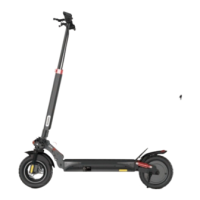

 To Next Page