Need help?
Do you have a question about the iScooter US i10 and is the answer not in the manual?
Instructions for cleaning the scooter body and proper storage conditions to maintain its lifespan.
Guidelines for using and maintaining the scooter's battery for optimal performance and safety.
Recommendations for storing the scooter in suitable environments and proper disposal of used batteries.
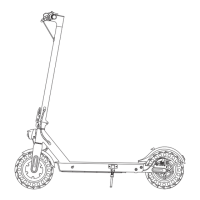
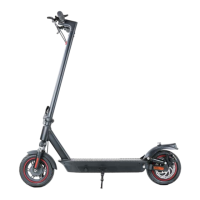
This document serves as a quick start guide and instruction manual for the iScooter i10 electric scooter, providing essential information for its assembly, operation, and maintenance. The iScooter i10 is designed as a leisure device for personal transportation, offering a convenient and eco-friendly way to travel.
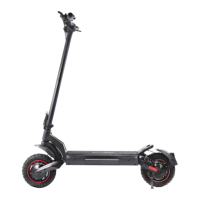
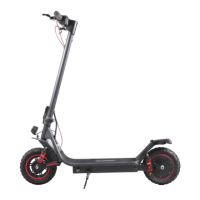
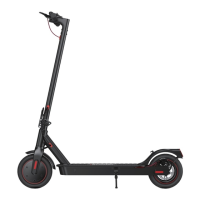
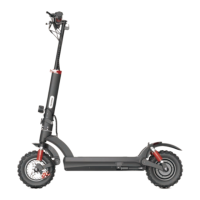
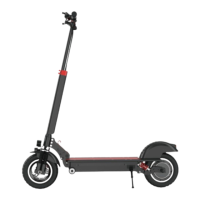
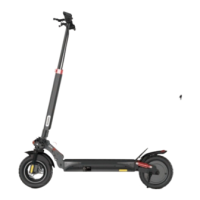
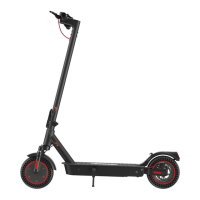
The iScooter i10 is an electric scooter equipped with a motor, battery, and control panel, allowing for powered mobility. Its primary function is to provide an efficient and enjoyable means of personal transport. The scooter features a display that shows key information such as speed, battery level, and selected mode. It includes a throttle for acceleration and a disc brake system for stopping. For enhanced functionality and control, the iScooter i10 can be connected to a dedicated "iScooter" app, available on both iOS and Android platforms, which provides additional information and features. The scooter is designed with a folding mechanism for easy storage and portability, making it suitable for urban environments and multimodal commuting.
The iScooter i10 is designed for straightforward and intuitive use. To begin, users must properly close the folding latch until a click sound is heard, ensuring the scooter is securely assembled. The handlebar stem is then attached by inserting four screws into the designated holes and tightening them.
Powering on the scooter is achieved by a long press (approximately 2 seconds) of the power button. Once powered, the display illuminates, showing the current speed, battery level (indicated by five battery bars), and active mode. To accelerate, the user presses the throttle. For safety, it is recommended to keep both feet on the deck while riding.
The scooter offers different speed modes, which can be toggled by double-clicking the power button, allowing users to adjust the speed according to their preference and riding conditions. A notable feature is the cruise control function: if a consistent speed is maintained for 5 seconds, the scooter will beep and activate cruise control, allowing the rider to maintain speed without continuously pressing the throttle. The scooter also includes a front light, which can be turned on or off with a single click of the light button, enhancing visibility during low-light conditions.
For initial riding, safety is emphasized, with a recommendation to wear helmets and knee pads. The riding process involves standing on the base with one foot and propelling with the other. Once the scooter starts to coast and exceeds a speed of 3 mph, both feet can be placed on the deck, and the accelerator can be pressed. To slow down, releasing the accelerator activates the kinetic energy recovery system (KERS) for gradual braking. For sudden stops, the brake lever should be squeezed. Turning is accomplished by tilting the body in the desired direction and gently turning the handlebar.
The iScooter i10 also features a lock indicator, signifying that the scooter can be locked and unlocked via the iScooter app, adding a layer of security.
Proper maintenance is crucial for the longevity and optimal performance of the iScooter i10. The manual provides clear guidelines for daily care, battery maintenance, and storage.
For cleaning the scooter's body, a damp cloth is recommended for stains. For more stubborn marks, toothpaste applied with a toothbrush, followed by wiping with a damp cloth, can be effective. It is important to avoid using alcohol, gasoline, kerosene, or other corrosive chemical solvents, as these can cause severe damage. When cleaning, the scooter must be turned off, the charging cable unplugged, and the rubber flap of the charging port closed to prevent water leakage, which could lead to electric shock or other issues. The scooter should be stored indoors in a dry and cool place, ideally between 14°F and 104°F. Prolonged exposure to direct sunlight, rain, and extreme temperatures (both hot and cold) can accelerate the degradation of the battery pack and enclosure materials. Devices are not intended for use at elevations greater than 2000 m above sea level.
The manual stresses the importance of using original battery packs to prevent safety issues. Users are advised not to touch the battery contacts, dismantle or puncture the casing, and to keep contacts away from metal objects to avoid short circuits, which can cause battery damage or injuries. Only the original power adapter should be used for charging to prevent potential damage or fire. Proper disposal of used batteries according to local regulations is highlighted to protect the environment. To prolong battery lifespan, it is recommended to fully charge the battery after every use. For long-term storage, the scooter should be charged every other month. It is also advised to avoid completely exhausting the battery before recharging; instead, charge it as soon as possible when the battery level is low. The scooter cannot be turned on during the charging period.
The disc brake system may require adjustment over time. If the brake is too sensitive, the disc brake rocker can be rotated down slightly, and the screw reinstalled to tighten the brake cable core. If the brake is not effective enough, the rocker can be rotated up slightly. It is normal for the disc brake to squeak during initial use until it is broken in, and this does not affect its function. To address persistent disc brake noise, users can loosen two screws on the pump (not the rocker screw), adjust the position of the disc brake pump to ensure the brake disc is centered between the two brake pads, and ensure the disc and pads are not touching. Once in the desired position, the screws should be retightened.
If the folding mechanism feels too loose or too tight, the silver screw can be adjusted to make it slightly higher or shorter, ensuring a secure and comfortable fold.
The manual includes a question and answer section for common issues. For missing accessories or broken parts upon arrival, users are instructed to take a photo and contact iScooter Support Team for replacement. For tire replacement or issues with the rear disc brake, contacting support or searching for tutorial videos on YouTube is recommended. Unusual noise from the rear wheel, often due to disc brake tilt and friction, can be resolved by referring to the disc brake adjustment section or contacting support. The manual also lists various error codes (E04, E10-E16) that may appear on the screen, advising users to contact iScooter Support Team for assistance in removing these errors.
The iScooter i10 is designed to be a user-friendly and maintainable electric scooter, with comprehensive instructions to guide users through its operation and care.
 General
| Motor Power | 500W |
|---|---|
| Foldable | Yes |
| Brakes | Disc |
| Suspension | Front and rear |
| Tire Size | 10 inch |
| Brake Type | Disc |

 To Next Page