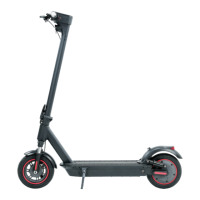
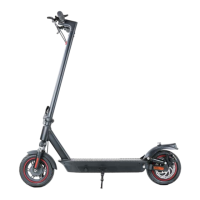
Need help?
Do you have a question about the iScooter 1S and is the answer not in the manual?
Details the function of the power button for turning the scooter on and off.
Explains how the battery level is displayed on the control panel.
Describes how to operate the front light using the control panel.
Explains how to switch between different power modes using double-clicks.
Details how to activate cruise control by maintaining a steady speed.
Explains the function of the lock indicator related to the MiniRobot app.
Covers unfolding the stem, securing the folding latch, unfolding the kickstand, and installing screws.
Details the procedure for folding the scooter, emphasizing latch security before riding.
Provides instructions and tips for charging the electric scooter, including LED indicators and precautions.
Guides users on how to begin riding the scooter, including app connection and initial acceleration.
Recommends safety gear and covers turning on power and initial propulsion.
Explains how to accelerate, brake using the accelerator or lever, and steer the scooter.
Advises against riding the scooter in rainy conditions.
Recommends low speed and knee bending for bumpy or uneven surfaces.
Warns to be aware of doors, elevators, and overhead obstacles.
Prohibits accelerating when riding downhill.
Discourages pressing the accelerator while walking beside the scooter.
Emphasizes the importance of steering clear of obstacles.
Advises against hanging bags or heavy items on the handlebar.
Instructs to keep both feet on the deck at all times while riding.
Discourages riding in traffic lanes or residential areas with mixed traffic.
Warns against turning the handlebar violently during high-speed riding.
Prohibits riding in puddles deeper than 2cm.
Forbids riding with another person, including children.
Warns users to keep feet off the rear mudguard.
Advises users to always keep their hands on the handlebar.
Instructs users not to touch the disc brake.
Discourages riding up/down stairs or jumping over obstacles.
Provides guidelines for riding in public areas, traffic laws, and pedestrian interaction.
Covers following manual instructions, lending policies, pre-ride checks, and fire risk warnings.
Details the steps to fold and unfold the scooter, including securing the handlebar.
Explains how to adjust the disc brake sensitivity using the Allen wrench.
Guides on how to adjust the disc brake pump to eliminate squeaking noises.
Provides methods for cleaning the scooter body and notes on proper storage conditions.
Offers guidance on using original batteries, avoiding damage, and proper disposal.
Recommends storage conditions and practices for battery preservation.
Details the 30-day satisfaction guarantee, return conditions, and responsibilities.
Outlines the warranty for defects in materials and workmanship and exclusions.
Explains the available remedies for hardware defects, such as repair or replacement.
Provides instructions on requesting warranty service and necessary documentation.
States limitations on liability for indirect, special, or consequential damages.
Instructions for reporting missing accessories or broken parts to support.
Confirms tire replaceability and directs users to contact support or YouTube for instructions.
Guidance on contacting support for brake adjustment or searching for tutorial videos.
Explains unusual rear noise as potential disc brake tilt and suggests consulting the manual.
Lists common error codes and advises contacting support for resolution.
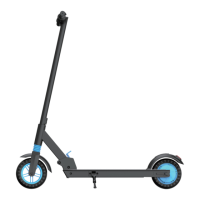
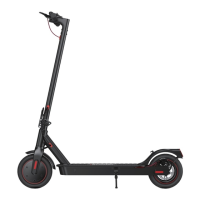
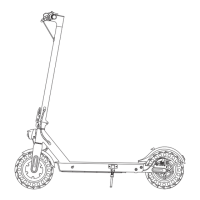
This document is a user manual for the iScooter 1S Electric Scooter, providing comprehensive information on its assembly, operation, maintenance, and safety guidelines.
The iScooter 1S is an electric scooter designed for leisure and personal transportation. It operates by an electric motor, allowing users to propel themselves by standing on the deck and pressing an accelerator. The scooter is equipped with a disc brake system for stopping and a kinetic energy recovery system (KERS) for slow braking. It features different power modes (ECO and S) and a cruise control function for maintaining a constant speed. The scooter can be connected to a "MiniRobot" app for additional functions, including zero start activation and locking/unlocking the device.

 To Next Page
 General