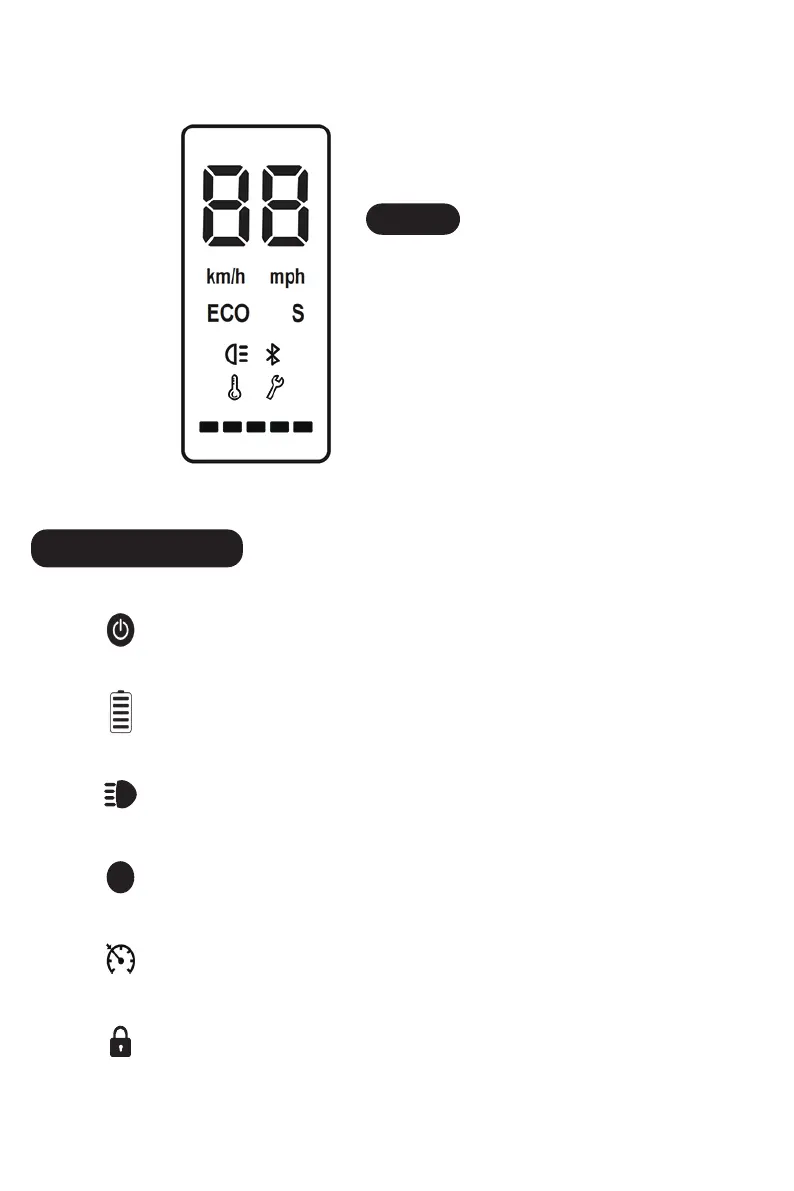
Control Panel
Tips
Power Button
Click to turn on. Long press to turn off.
Battery
Indicator
The power level is indicated by five battery bar on the control panel.
Light
Turn on your scooter, one-click to turn on/off the front light.
Mode
Double-click to switch power mode.
S
Cruise Control
Keep same speed for 3 seconds, and it will beep and active the cruise control.
Lock indicator
The scooter can be locked and unlocked by MiniRobot app.
03
When the scooter starts to coast, put both feet
on the deck and press the accelerator (the
accelerator initiates once the coasting speed
exceeds 3 mph). Or you can connect the
"MiniRobot" APP, then, turn on the zero start.


 To Next Page