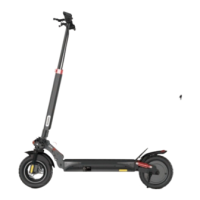
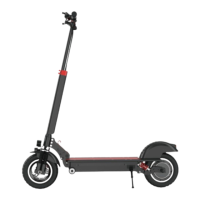
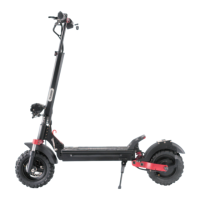
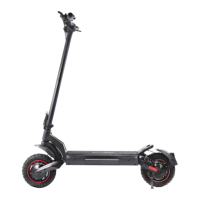
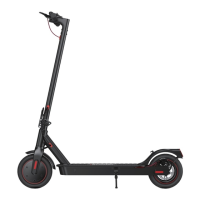
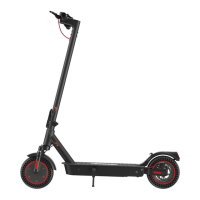
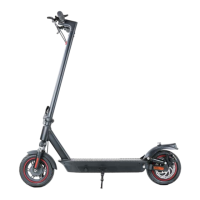
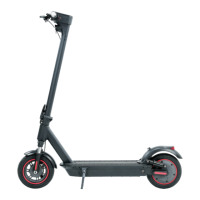
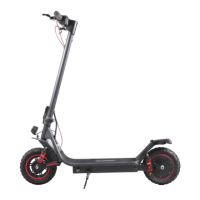
The iScooter iX6 is an electric scooter designed for leisure and transportation, featuring a robust build and a range of functionalities aimed at enhancing the user experience. It is important to note that when used in public areas, the scooter is subject to traffic laws and regulations, and users are advised to follow all instructions in the manual for safety.
Function Description:
The iScooter iX6 serves as a personal electric vehicle, offering three distinct riding modes: ECO (first gear), STD (second gear), and TURBO (third gear), allowing users to adjust speed according to their preference and environment. It supports both zero-start and non-zero/kick-and-go start modes. The scooter is equipped with a control panel that displays essential information such as real-time speed (MPH/Km/h), maximum speed, average speed, total mileage, single mileage, battery power, and battery voltage. It also indicates gear value, fault warnings, locking status, turn signals, headlights, dual drive/single drive mode, and cruise control status. For safety, it includes a kinetic energy recovery system (KERS) for gradual braking and a disc brake for sudden stops. The scooter also features ambient lights for visibility.
Important Technical Specifications:
- Dimensions (Unfolded): 122cm (Length) x 63cm (Width) x 125cm (Height)
- Dimensions (Folded): 122cm (Length) x 22cm (Width) x 57cm (Height)
- Net Weight: 53LB / 24.3KG
- Load Capacity: 150 kg (including driver and objects)
- Recommended Age: 14+
- Recommended Height: 120~200cm
- Speed: 25-45 km/h (adjustable via comfort and off-road modes)
- Comfort mode: 10km/h (1st gear), 15km/h (2nd gear), 25km/h (3rd gear)
- Off-road mode: 15km/h (1st gear), 30km/h (2nd gear), 45km/h (3rd gear)
- Long Range: 40-45 km (measured under specific conditions: full charge, 70KG load, 25°C, flat road, no wind, 15KM/H speed)
- Max. Slope: 35%
- Operating Temperature: -15°C~40°C
- Protection Level: IPX4
- Battery:
- Voltage: 48 V
- Max. Charging Voltage: 54.6 V
- Capacity: 17.5 AH
- Motor Power: 1000 W
- Charger:
- Input Voltage: 110-240 V
- Output Voltage: 54.6 V
- Output Current: 2A
- Charging Time: 7-9 hours
- Wheel Diameter: Adjustable (default 10 inches, range 8.0-12.0 inches)
- Magnetic Poles for Speed Measurement: Adjustable (default 30, range 1-100)
Usage Features:
- Assembly: The scooter comes partially assembled. Users need to lift the T-bar upright, push down the kickstand, cut tapes on the handlebar, slide handlebars into place, and adjust the handlebar height using the adjustable lock.
- Power On/Off: Press the power switch for 1-3 seconds to turn on/off the LCD display and the scooter.
- Headlight and Ambient Light: Press the headlight button after power-on to activate the headlight and ambient lights on the deck.
- Riding Modes: Switch between ECO, STD, and TURBO modes using the +/- keys. Comfort and off-road modes can be toggled by short-pressing the 'M' key five times continuously after power-on.
- Cruise Control: Can be turned on/off via settings (P05).
- NFC Key: The scooter supports an NFC key for enhanced security or functionality.
- Display Settings: Users can access a settings mode by holding 'M' and 'Light' buttons for 10 seconds to adjust various parameters, including kilometer/mile selection (P01), voltage level (P02 - not recommended for adjustment), wheel diameter (P03 - not recommended for adjustment), number of magnetic poles for speed measurement (P04 - not recommended for adjustment), cruise selection (P05), zero/non-zero start (P06), top speed (P07), sleep time (P08), backlight brightness (P09), and factory default reset (P99). Travel distance (ODO) can also be reset.
- Safety Guidelines:
- Always wear a helmet, elbow pads, and knee pads.
- Check battery level before riding.
- Stand with one foot on the deck and scoot off with the other.
- Place both feet on the deck and press the accelerator once the scooter moves (speed exceeds 3 mph).
- Tilt body to the steering direction and slowly turn the handlebar when turning.
- Avoid riding in the rain.
- Maintain medium or low speed (5mph) over speed bumps, elevator door sills, bumpy roads, or uneven surfaces, slightly bending knees to absorb shock.
- Watch out for doors, elevators, and overhead obstacles.
- Do not accelerate downhill.
- Do not press the accelerator while walking alongside the scooter.
- Always steer clear of obstacles.
- Do not hang bags or heavy items on the handlebar.
- Keep both feet on the deck at all times.
- Avoid riding in traffic lanes or residential areas with vehicles and pedestrians.
- Do not turn the handlebar violently at high speeds.
- Do not ride in water deeper than 20mm.
- Do not ride with passengers, including children.
- Keep feet off the rear mudguard.
- Always keep hands on the handlebar.
- Do not touch the disc brake while riding.
- Do not attempt to ride up or down stairs or jump over obstacles.
Maintenance Features:
- Cleaning: Wipe stains with a damp cloth. For stubborn stains, use toothpaste and a toothbrush. Avoid alcohol, gasoline, kerosene, or high-pressure water sprays. Ensure the scooter is off, charging cable unplugged, and rubber flap closed during cleaning.
- Storage: Store in a cool, dry place between 14°F and 104°F (6°C and 40°C). Avoid prolonged exposure to direct sunlight, overheating, or over-cooling. Store indoors when not in use.
- Battery Maintenance:
- Use original battery packs and power adapters.
- Avoid touching contacts, dismantling, or puncturing the casing.
- Keep contacts away from metal objects to prevent short circuits.
- Dispose of used batteries according to local regulations.
- Fully charge the battery after every use to prolong its lifespan.
- Recharge the scooter every other month to preserve the battery, especially if the battery level is low.
- Disc Brake Adjustment:
- Sensitivity: Use a hex wrench to adjust the disc brake rocker. Rotate down to reduce sensitivity, up to increase. Reinstall screws to tighten.
- Noise Removal: Turn off the scooter. Loosen two screws on the pump (not the rocker screw). Adjust the disc brake pump so the brake disc is centered between the two brake pads and not touching them. Hold the pump in position and re-tighten the screws.
- Troubleshooting (Error Codes): The manual provides a list of error codes and their definitions, advising users to contact iScooter Support Team for assistance.
- 03: Poor contact in 3-phase wire terminals/Hall signal connector, or system startup time exceeds 2S due to heavy load/stuck wheels. May indicate damaged controller or motor.
- 04: Low battery voltage protection.
- 06: Faulty Hall commutation signal of the motor or poor contact in Hall signal connector. May indicate damaged motor Hall.
- 07: Handlebar out of control, signal less than 0.75V, or twisted before system works. Can be removed by resetting.
- 08: Controller failure.
- 10 & 15: Controller cannot receive dashboard signal.
- Customer Support: Lifetime technical support is available via email (support@iscooterglobal.com), website (www.iscooterglobal.com), and Facebook (www.facebook.com/iScooterGlobal).
- Warranty:
- 30-Day Satisfaction Guaranteed Return Policy: Allows returns within 30 days of shipment for a refund, provided an RMA is requested, product is in good physical condition, and all accessories are included. Shipping costs are borne by the customer.
- Limited Product Warranty: Covers defects in materials and workmanship under normal use. Battery defects are covered for 180 days. Warranty applies only to the original owner and ends upon sale or transfer of the scooter.
- Exclusions: Normal wear and tear (tires, tubes, brake pads, cables, housing, grips), damage from misuse, neglect, abuse, commercial use, alterations, improper assembly, operator error, water damage, extreme riding, stunt riding, or improper maintenance. Battery damage from power surges, improper charger, or maintenance is also excluded.
- Remedies: iScooter will repair or replace defective hardware.
- Obtaining Service: Request a Warranty Service Order from iScooter Service Team. Deliver the product in original or equivalent packaging. Proof of purchase may be required.

 Need help?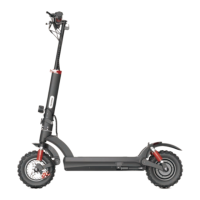

 To Next Page
 General