Screen
08
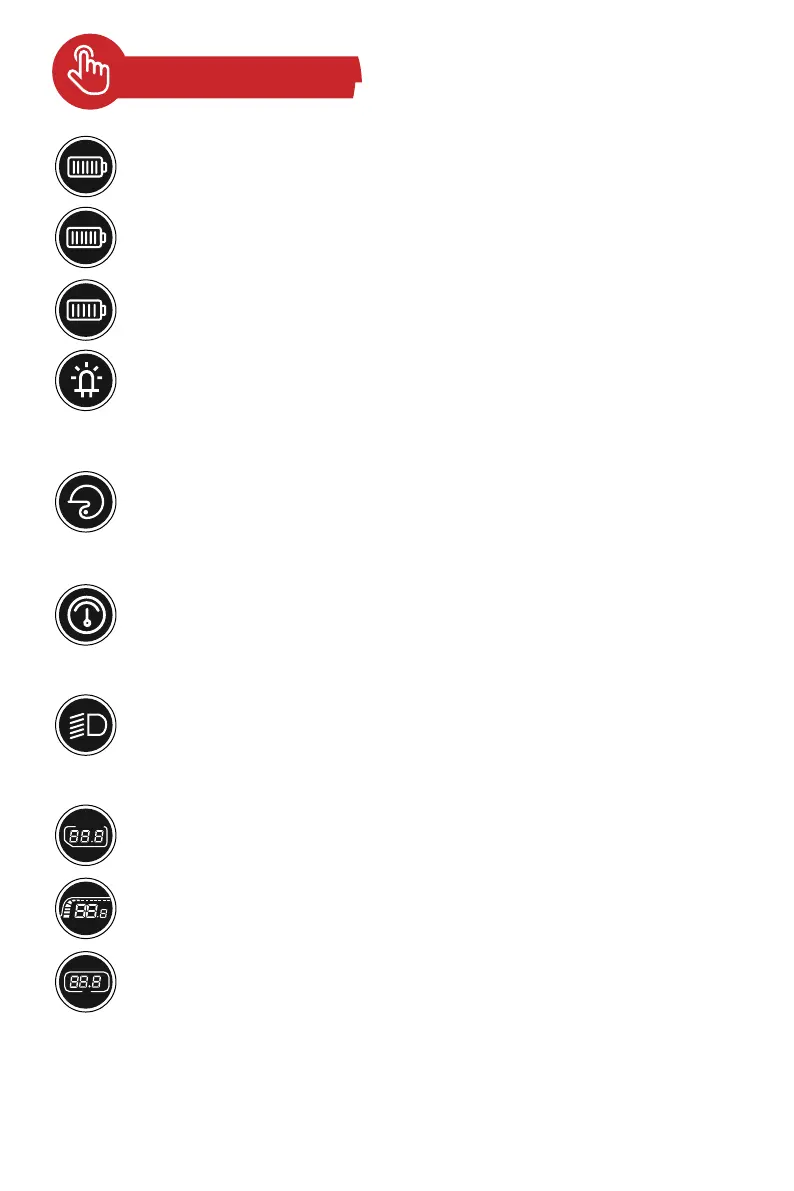
Battery Level Display:
6-bar battery level.
6 Bars:
90%~100% of battery level
5 Bars:
70%~90% of battery level
Charging prompt
After turning on the E-scooter, the word "READY" appears on the instrument
display to remind rider to wear a helmet, knee pads, elbow pads, and abide by
traffic regulations when riding.
READY:
After activating cruise control, you can release the thumb throttle, the scooter
moves at a uniform speed. After you press the brake to stop, press the throttle
again, and the scooter returns to the initial state.
Activate Cruise Control:
After the scooter is powered on, press the headlight switch button by clicking
the multi-function switch. Symbols appear on the instrument display when all
the lights are turned on.
Headlight:
It shows the highest speed of the whole ride.
SPEED
Maximum Speed:
The display shows the current speed during riding.
Current Speed:
Shows the travelled distance of a trip, and automatically resets to zero after
the scooter is powered off.
Trip distance:
when the battery runs out and the scooter slides to a natural stop due to
inertia. So you have to charge it very soon. It is recommended not to drain the
battery by 100%. Charge it before use.


 To Next Page