20
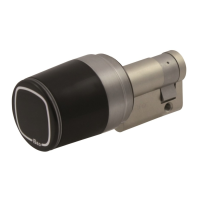
• Clean the surface with a soft, damp cloth.
• Only disinfection agents that are explicitly formulated for cleaning delicate metal surfaces and plastics
may be used. If unsuitable cleaning agents or methods are used, the surface may be damaged.
• Do not spray water or other liquids directly on the Device.
• Do not clean with chemicals such as alcohol, thinners, benzene, acidic or alkaline solvent cleaners,
abrasive cleaners, or lubricants, as these may damage the device’s finish and cause discoloration.
• When Libra will not be used for an extended period, remove the battery, and store the battery in a cool,
dry area, taking care that terminals doesn’t touch any conductive object or part.
• Store Libra in a clean dry place at a room temperature between -25°C and +75°C and relative humidity
between 20% and 95%.
• For a better storage, use the original packing box.
Cleaning
Storage
Maintenance
If the battery is disconnected for more than 5 minute, then the Device clock might go out of
synchronization. To synch the clock just enter in Programming Mode with the Master Card and the door
lock will take the smartphone date and time automatically.
Battery replacement does not affect the data stored in the User List.


 To Next Page