1.
Introduction
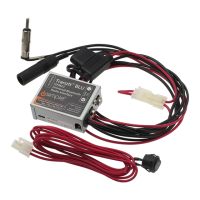
Thank you for choosing the iSimple ISFM
21
as your audio input solution. The ISFM21 (Tranzlt
BLU) is designed to provide the connecting link between your Android powered device with
Bluetooth, and your vehicle. This interface provides a Bluetooth connection point for your
android phone,
or
tablet, and delivers streaming audio directly into your radio.
2. ISFM21 Components
• Radio input module
· Application (Free download from android market)
3.
Installation Options (Choose A or B)
The ISFM21 interrupts the incoming antenna signal when
in
use, to deliver the cleanest
audio possible from your device.
To
regain standard FM operation without interruption,
simply pause the android device, and approximately 8 seconds later the full
FM
band will be
accessible. There is also a power on/off/auto option
in
the Tranzlt BLU app.
If
manual power
on/off control
of
the ISFM21 is desired, disconnect the "loop plug
",
and plug the "optional
toggle switch" into the power harness,
in
its place. This will allow the user to turn the ISFM21
on or off at any time.
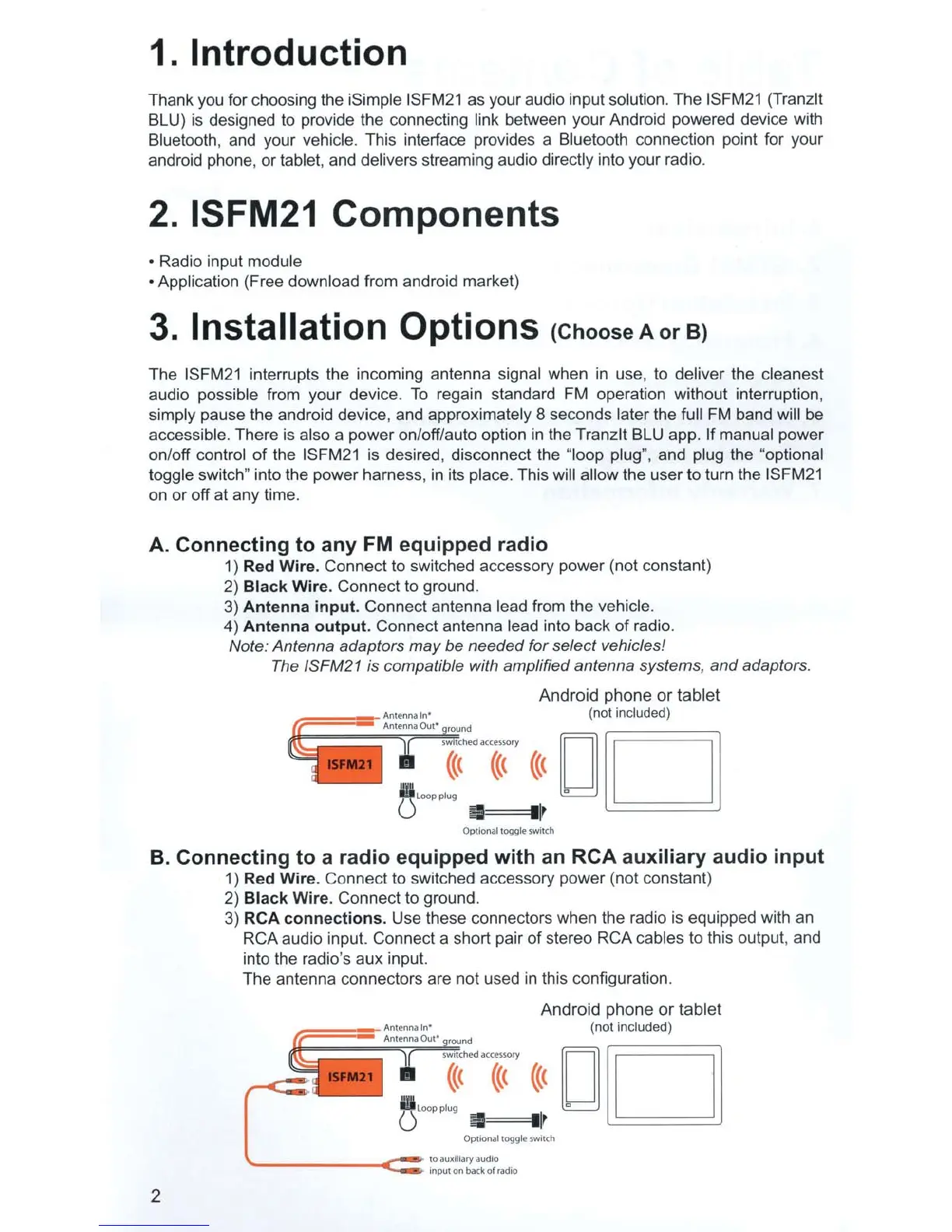
A. Connecting to any FM equipped radio
1) Red Wire. Connect to switched accessory power (not constant)
2)
Black Wire. Connect to ground.
3)
Antenna input. Connect antenna lead from the vehicle.
4)
Antenna output. Connect antenna lead into back
of
radio.
Note: Antenna adaptors may be needed for select vehicles!
The ISFM21 is compatible with amplified antenna systems, and adaptors.
Android phone
or
tablet
(not included)
<<(
DD
~=
=ll
lr
Opt
io
n
al
toggle
swi
tch
B. Connecting to a radio equipped with an
RCA
auxiliary audio input
2
1) Red Wire. Connect to switched accessory power (not constant)
2)
Black Wire. Connect to ground.
3)
RCA connections. Use these connectors when the radio is equipped with an
RCA audio input. Connect a short pair
of
stereo RCA cables to this outpu
t,
and
into the radio's aux input.
The antenna connectors are not used
in
this configuration.
~===-
A
n
te
nn
a
In•
r. Antenna Out' round
Android phone
or
tablet
(not included)
r((
t
dac
({~
o~
({(
D D
O
iri
loopp
lug I c
~
1r
Op
ti
onal toggle
sw
i
tch
------..r
-:::=
t
oauxolia~aud
i
o
Input on back ol
radoo


 To Next Page