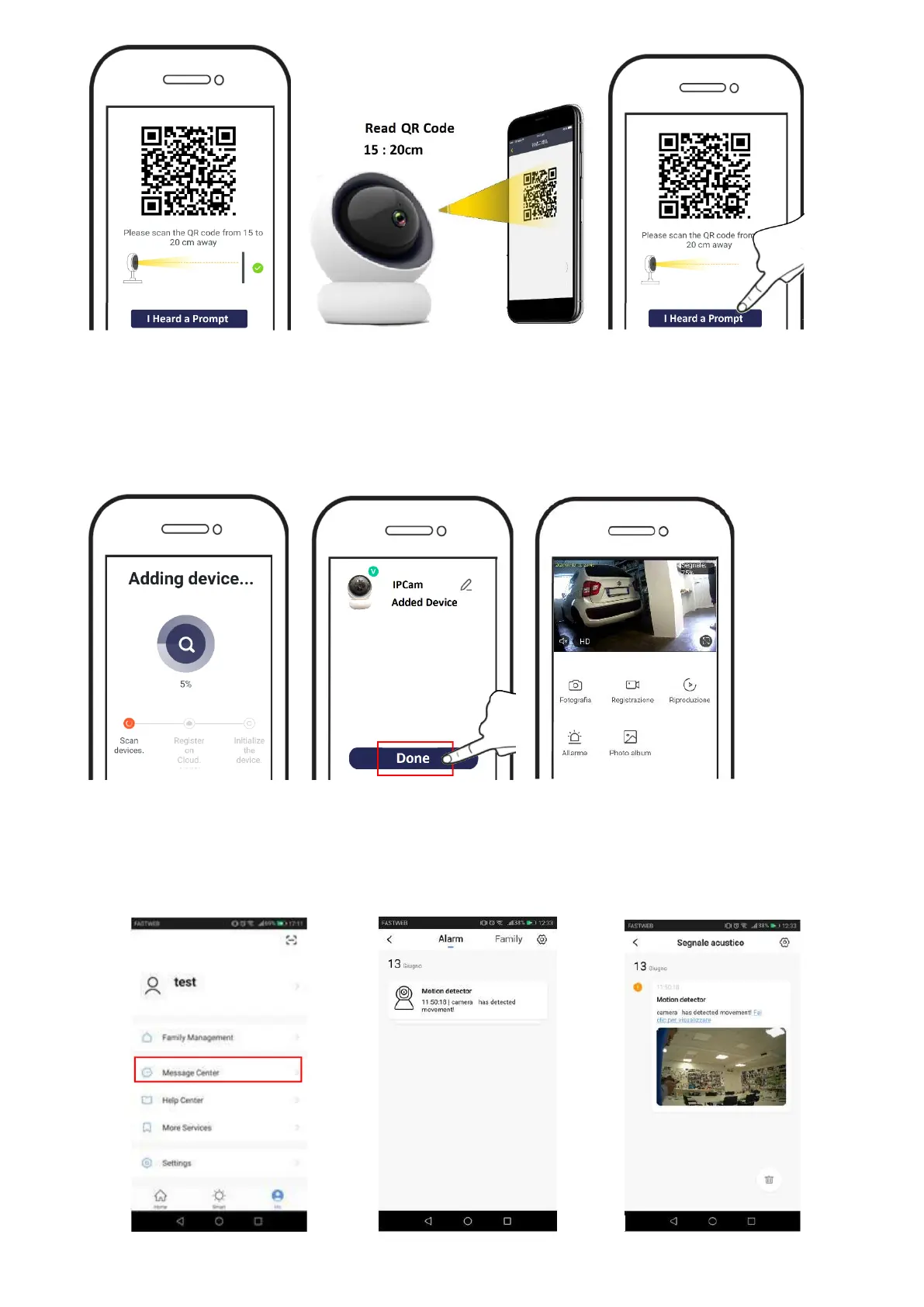
8-- Wait for the camera to complete the connection attempt.
9-- Once the device is located, select DONE
10-- Added device to the account. Tap to start the connection
11- Device connected
PUSH ON MOTION ALARM
In the camera settings is possible to enable the motion detection. When the camera triggers, you
will receive a push notification. In addition, on the app, you can view all notifications with related
snapshots.


 To Next Page