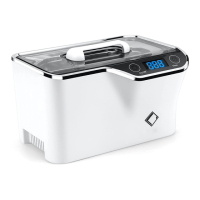
1. To attach the battery pack, line up the two lines on the battery pack and the main unit as shown. Rotate the main
unit in the direction of the arrow.
2. To connect the battery pack to the main unit, plug two ends of the DC connector to the DC socket in the main unit
and the DC socket on the battery pack. Turn the power switch on the battery to ON. The ultrasonic cleaner can then
run on the battery. Turn off the power switch on the battery after cleaning is done.
Battery pack has four indicator lights. They represent 100%, 75%, 50% and 25% of the power. When the lights dim,
the power in the battery is getting less. Charge the battery as needed.
Caution! When the unit is not in use, switch off the power switch on the battery. If it’s not switched off, the
battery will be drained in about 30 hours. A blue indicator light will stay on when the battery is connected
while the unit is idle to remind the user to switch off the power switch for battery. The light will change to
green when it is running.
14
CARE AND MAINTENANCE
1. Do not run the unit dry.
If the unit is run without water for over 30 seconds, it may be damaged or the unit’s life may be severely
affected.
2. Do not run the unit for extended time or continuously.
Do not run the unit continuously for over 15 minutes. Stop for about 10 minutes before running longer to prolong
the life of the unit.
3. Turn off the DC power switch on the battery pack when idling.
4. If the battery pack is used, turn off the power switch for battery when the unit is not in use, If the power switch is
not turned off, the battery will be drained in about 30 hours. A blue indicator light will stay on when the battery is
switched on while the unit is idling to remind the user to turn of the DC power. The light will change to green
when the unit is running.
5. User an appropriate solution for the job.
Typical cleaning time is 1 or 2 cycles. If the an item is not cleaned for over 15 minutes, it usually indicates that
the solution is not appropriate for the task. To remove stains, for instance, an adequate solution must be used.
Running with water alone will never remove stains. An ineffective solution or tablet will also not be able to
remove stains quickly.
6. Do not use corrosive solutions such liquid bleach in the tank. Avoid using distilled water or reverse
osmosis water as they aggressively corrode metals.
Do not use corrosive solutions such as paint thinner or acetone as they corrode plastics.
7. Do not leave solution in the tank over extended time.
When cleaning is finished, unplug the power cord. Pour water from the left side away from the DC sockets , the
On/Off key and the power switch for battery.
8. Do not operate or store it in a humid environment.
Such as a washroom without an exhaust fan or a humid basement.
9. Do not spray water over the housing.
Use a paper towel or cloth to wipe the tank and the housing.
10. Do not expose the unit under direct sunshine for long.
Keep the unit in a dry, cool and ventilated area.
16
SPECIFICATIONS



 To Next Page