and other jewelry sparkling clean.
10
OPERATION GUIDELINES
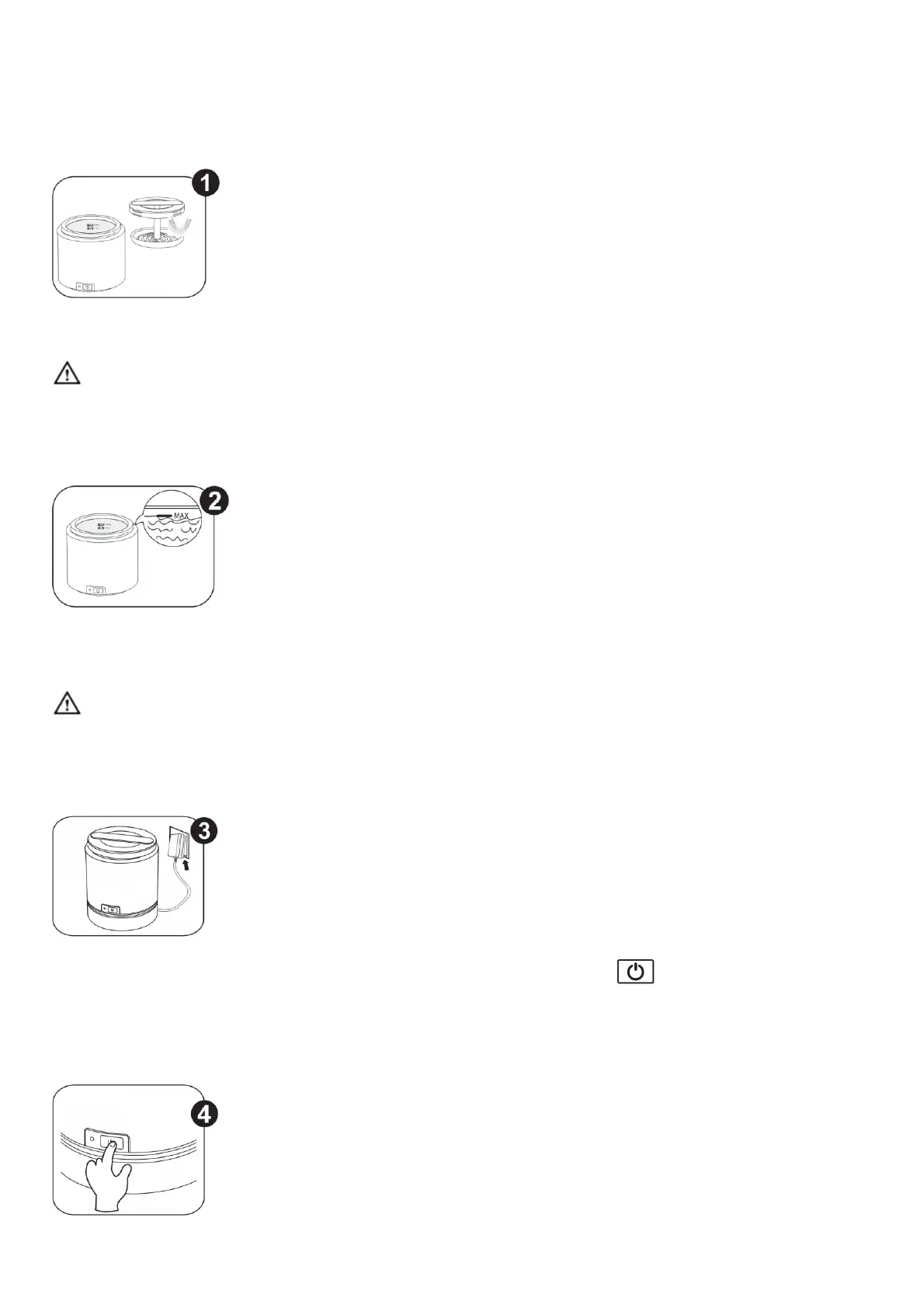
Denture and other dental, sleep appliances can be placed directly in the tank. This is the
recommended method. They can also be placed on the optional strainer if it’s supplied. The strainer can be attached
to the lid so items can be retrieved easily without dipping fingers in the solution.
Stainless steel strainer absorbs about 10% of the ultrasonic energy but it will have friction with jewelry. Plastic
strainer absorbs about 30% of the ultrasonic energy. It will reduce the friction to jewelry but it will also reduce
cleaning efficiency.
To clean jewelry, it’s better to use the jewelry hanger.
Add water in the tank to a level between “MIN-” and “MAX-” lines. Add iSonic® White™
(#CSDW01) or AlignerClean™ (#CTAR01) for denture, other dental or sleep apnea appliances, depending what is
being cleaned and the conditions as explained earlier. To clean jewelry, add iSonic® Jewerly / Eye Wear Cleaning
Solution Concentrate (#CSGJ01).
Running the unit without water in the tank will damage the unit. Make sure to add water between MIN and MAX
lines as the control circuitry is sensitive to the water level. Also the circuitry may need some learning time about the
load.
11
Plug the power adapter into an outlet. Plug the end into the DC socket 7. Touch key twice, indicator light 5
illuminates. Cleaning is underway.
Note: You’ll hear buzzing sound which is normal. The illustration shows the optional battery is attached. But it can be
run with the AC adapter without the battery.



 To Next Page