To repeat cleaning, touch twice again.
To stop cleaning during running, touch twice. The indicator light dims.
The unit has 3-minute auto shutoff. It will stop running once 3 minutes are over.
When cleaning ends, a beeping sound can be heard indicating that the cleaning has ended. Unplug the power cord.
Turn the lid counter clockwise to remove the lid. Remove the strainer along with the lid or the items directly if the
strainer is not used. Empty water from the tank. Avoid getting water into the DC socket, the power switches and the
indicator lights. Pour water out towards the left side (with the Start/Stop switch facing the operator) and pour it quickly
so water will not drip over the housing. Wipe the tank and the housing dry with a paper towel or cloth.
12
OPTIONAL ACCESSORY:
USING THE RECHARGEABLE BATTERY PACK
This unit uses 3 liion batteries.
Charging voltage: 12V.
Capacity: 2150mAh.
The battery’s category is power battery. It generates less heat than other types of battery and has better stability.
Charging the battery.
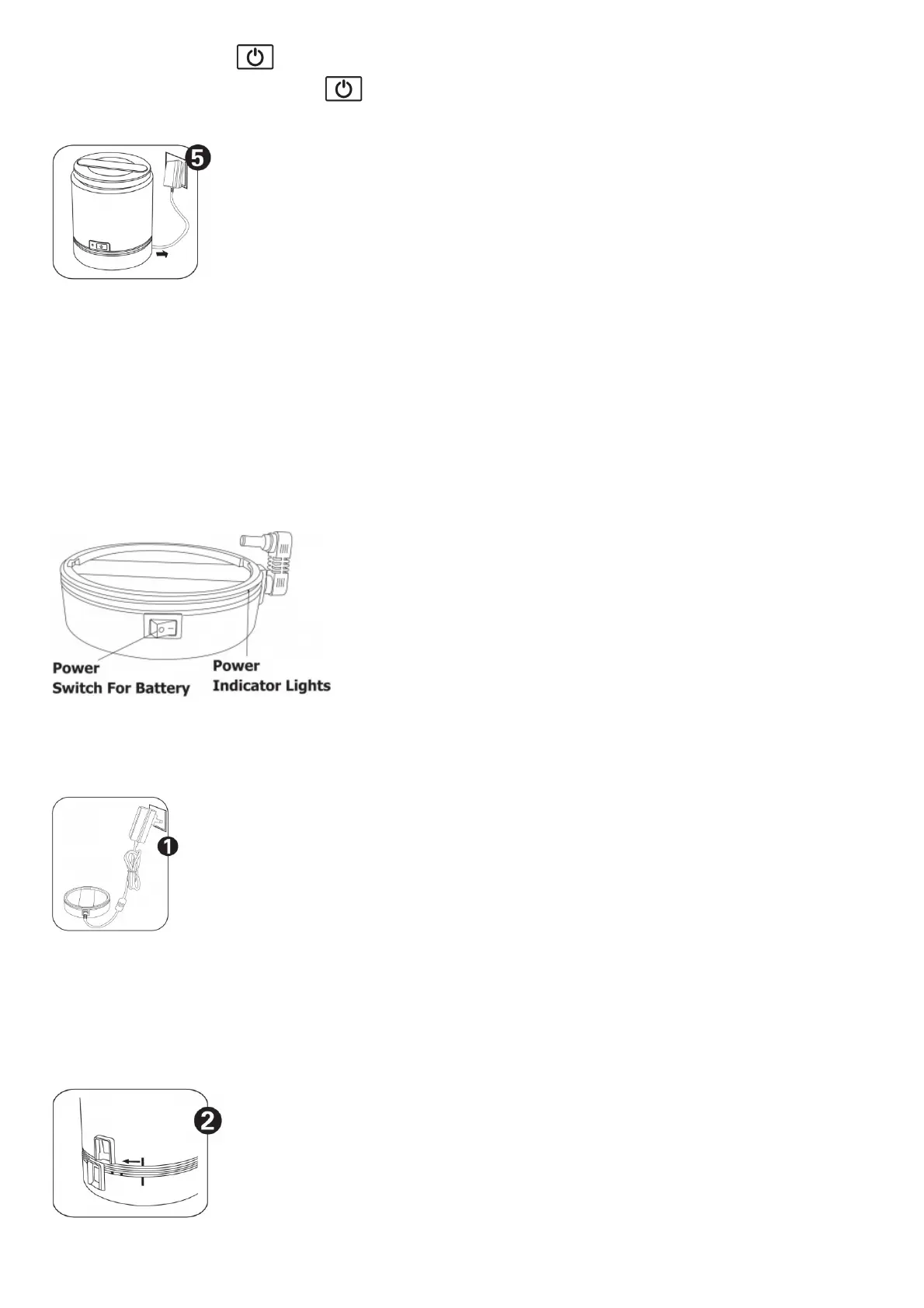
Plug the power adapter into an outlet, plug the plug into the socket in the battery pack. The indicator light on the
battery pack flashes, indicating that charging is underway. When all 4 indicator lights Illuminate and stop flashing,
charging is done. Unplug the power cord to the battery pack.
13
Using the battery pack.



 To Next Page