EN | 7
Charging
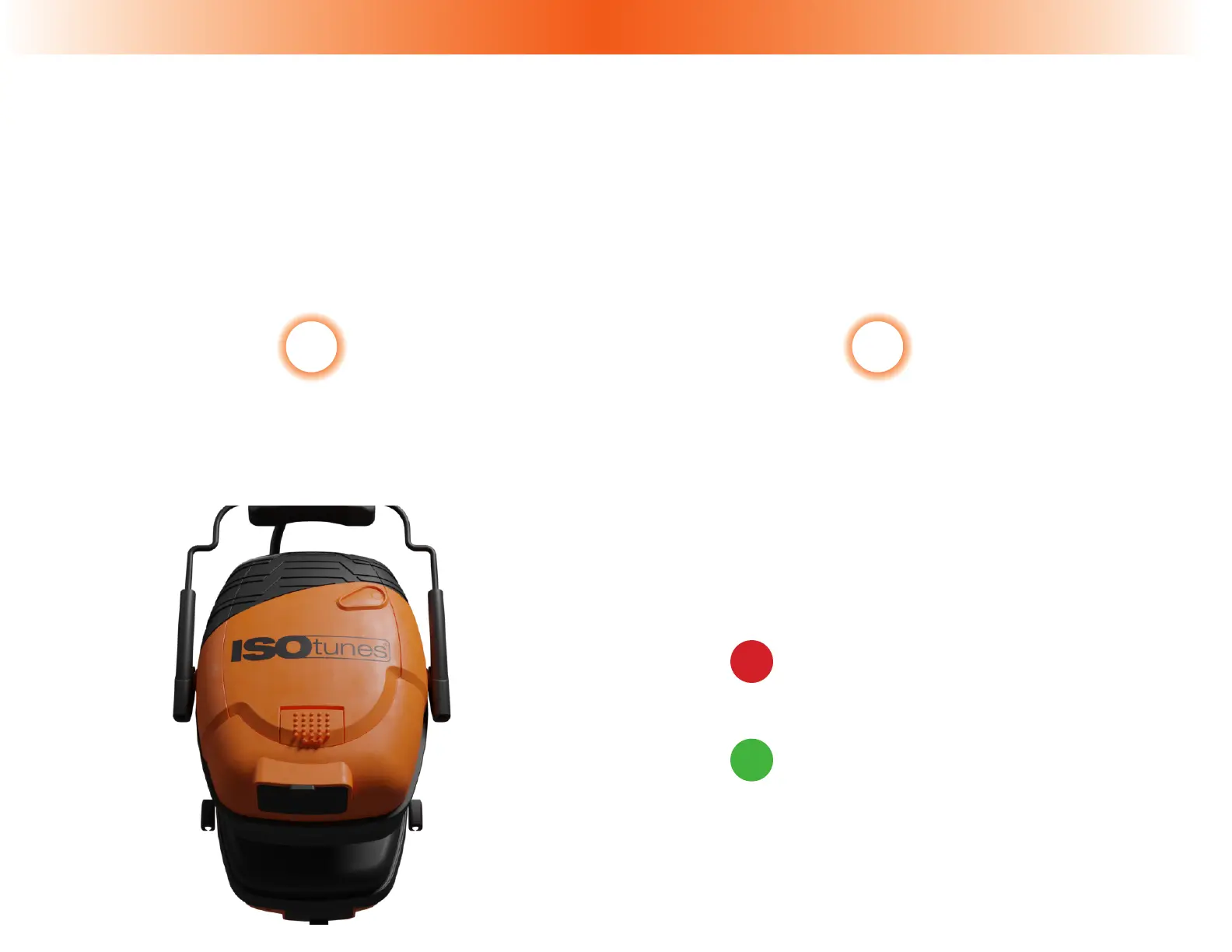
The headset can be powered by the included rechargeable Lithium Battery Pack.
The Lithium Battery Pack holds a 14+ hour charge.
Please charge with the included cable
by plugging it into the Charging Port (7).
*Charging voltage should not exceed 5v.
3 4
While the cable is plugged into the Charging
Port (7), LED Charging Indicators (8) will let
you know how charged the Lithium Battery
is.
LED Charging Indicators
Solid Red = Charging
(Cable Plugged In)
Solid Green = Fully Charged
(Cable Plugged In)


 To Next Page