EN | 6
Charging
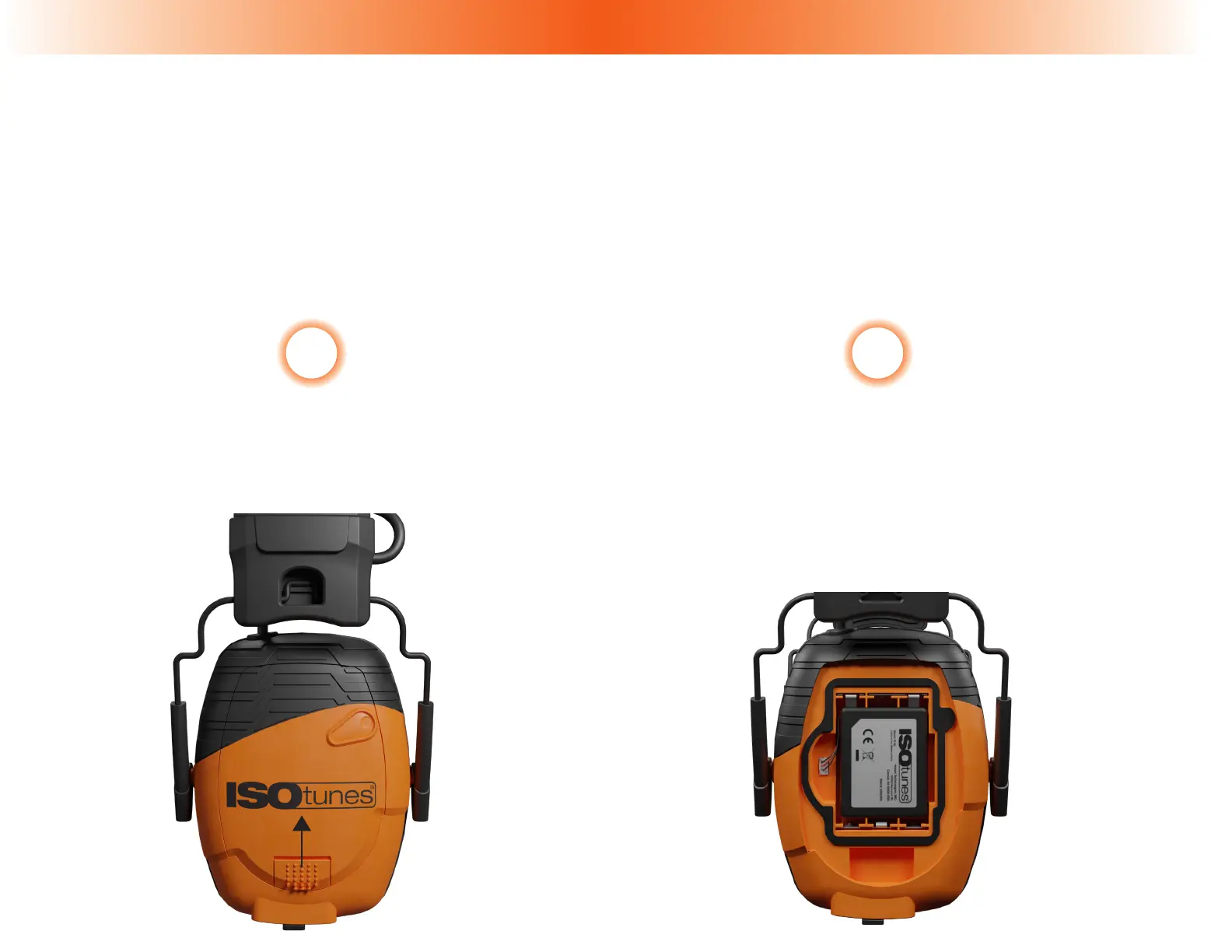
The Lithium Battery Pack comes fully installed. Please make sure the Battery Pack Cable
is plugged in to the Battery Pack Port (2).
The Lithium Battery Pack holds a 14+ hour charge.
Slide the Battery Cover Latch (9)
“up” towards the headband to
release the Battery Cover.
1 2
When using the Lithium Pack, always make
sure the Battery Pack’s cable is plugged
into the Battery Pack Port in the battery
compartment (please note, the battery
comes fully installed).


 To Next Page