EN | 5
Charging
The earplugs are charged with a micro-USB charger and hold up to 10 hours of music
and talk time between charges.
Please charge with the included micro-USB
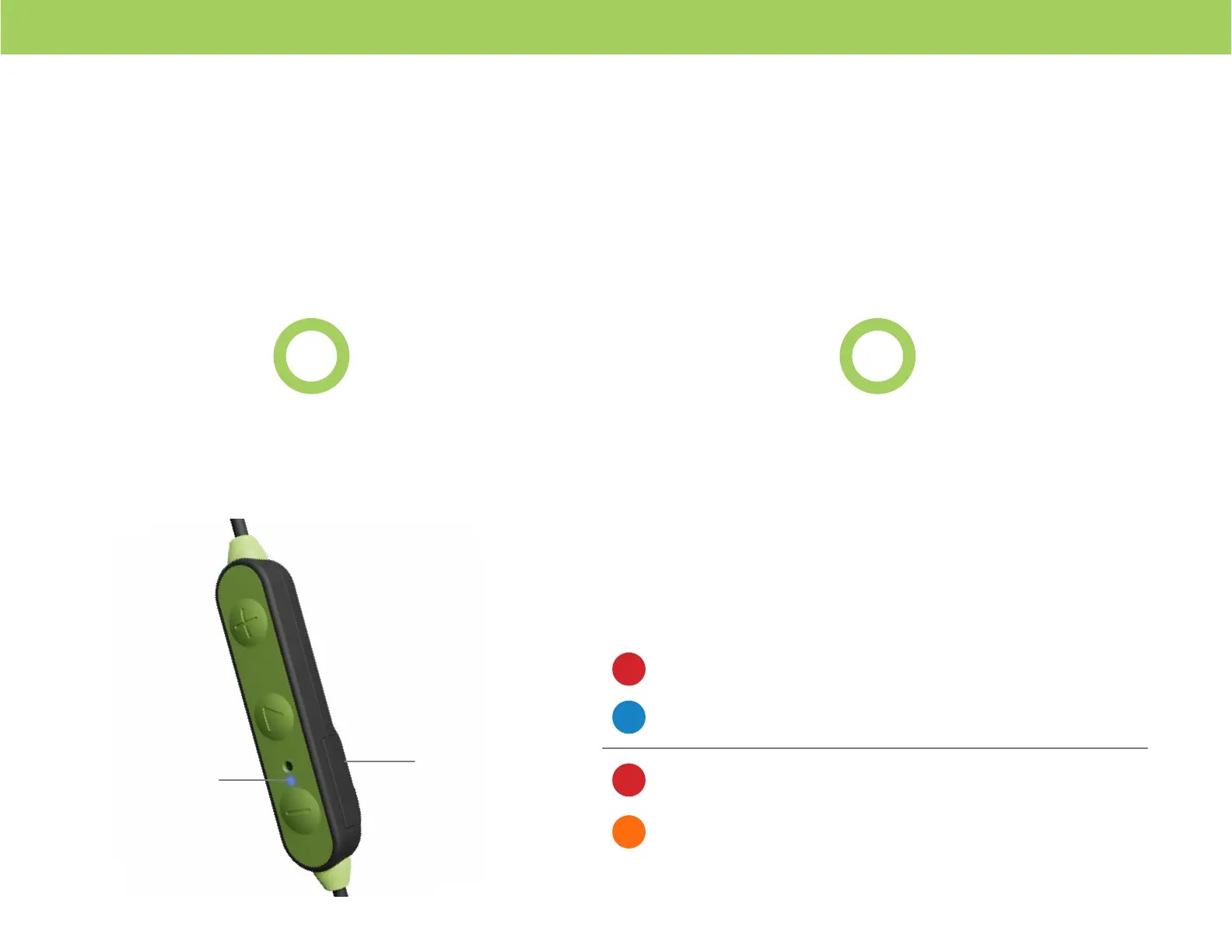
cable by plugging it into the Charging Port (6)(6)�
*Charging voltage should not exceed 5v.
1 2
While the cable is plugged into the Charging
Port (6)(6), the LED Indicator Light (4)(4) will let you
know if the battery is charging or f ully charged�
LED Indicator Light (4)
Solid Red = Charging (Cable Plugged In)
Solid Red = Charging (Cable Plugged In)
Solid Blue = Fully Charged (Cable Plugged In)
Solid Orange = Fully Charged (Cable Plugged In)
6
4
ISOtunes LITE EN 352 ISOtunes LITE
Please refer to the LED Indictor Light page for more information.


 To Next Page