EN | 8
Dual Connect Mode
This product can connect to two devices at the same time such as your phone and
your computer.
1. Pair and Connect to your rst device as
described in Bluetooth Pairing�
This will be device A�
2� Press and Hold the MFB (2)(2) for 7 seconds
until you hear “Bluetooth Pairing Mode”
(you will hear Power O, keep holding the
button until you hear “Bluetooth Pairing
Mode”).
3� Pair and Connect to the 2nd device as
described in Bluetooth Pairing�
This will be device B�
4� On Device A, go to the Bluetooth menu and
manually connect to ISOtunes LITE�
5� Both devices are now connected�
Pairing Reset
If you have issues connecting to any
device, we recommend a Pairing Reset:
1� The headphones need to be powered on�
2� Press and Hold the Volume Up (1) and the
Volume Down (3) for 4 seconds�
3� Continue holding, listen for a double tone
and then release�
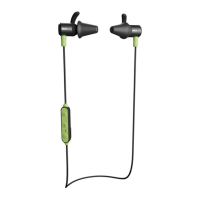
LED Indicator Light (4)(4)
Alternating Blue & Red = Pairing Mode
Alternating Orange & Red = Pairing Mode
ISOtunes LITE EN 352 ISOtunes LITE
Please refer to the LED Indictor Light page for more information.


 To Next Page