www.123filter.com | (678) 261-7611 | support@123filter.com Page 16
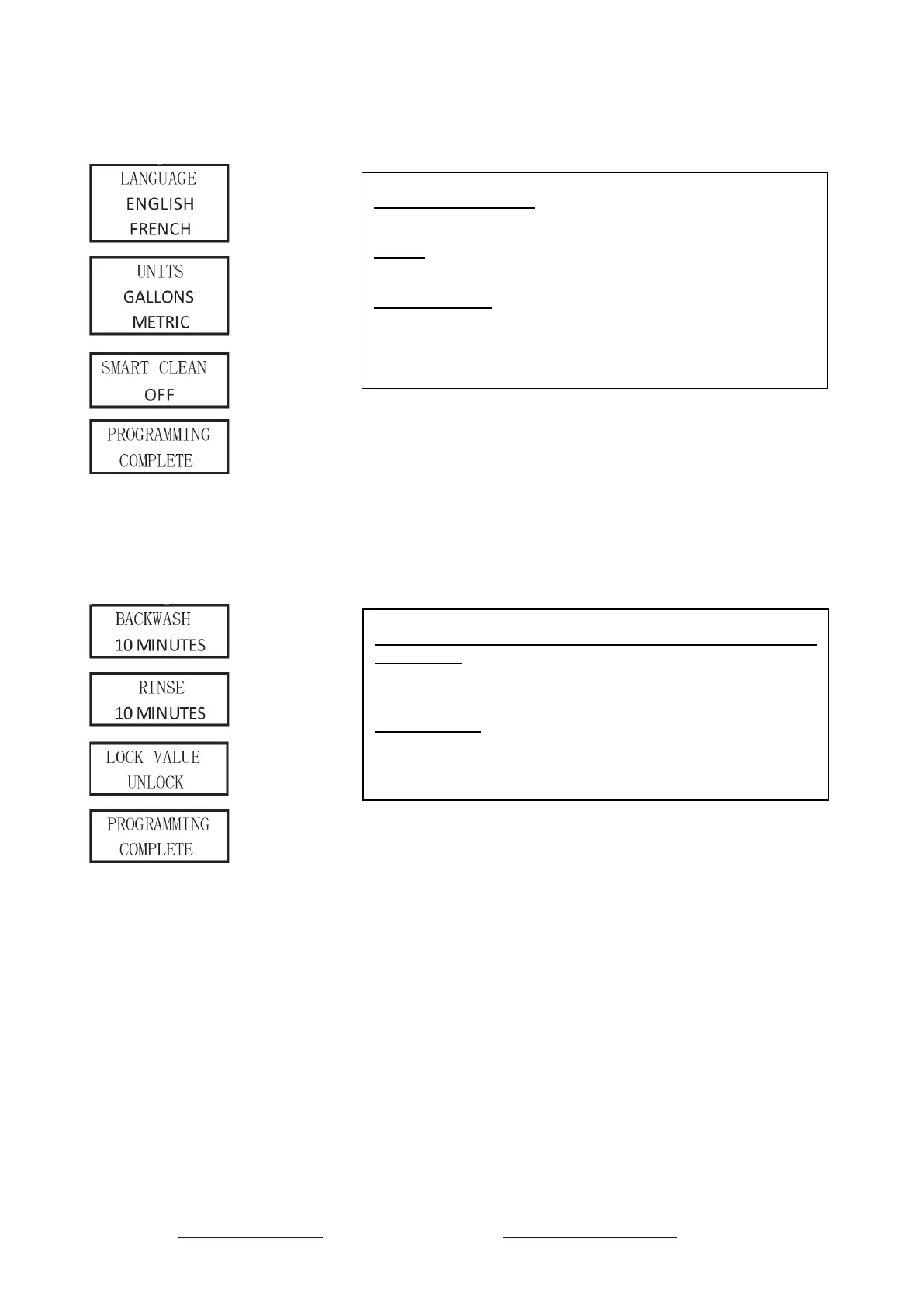
(4) Press and hold "MENU" and "SET/REGEN" at the same time for 3 seconds to enter the
following user menu settings:
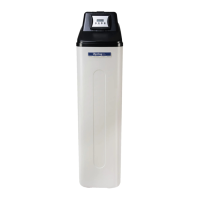
(5) Press and hold "↑" and "↓" at the same time for 3 seconds to enter the following user menu
settings:
SYSTEM LANGUAGE:
Choose the system language.
UNITS:
Choose the system unit of measurement: metric or gallons.
SMART CLEAN:
When set to ON, the system will perform a 10 (adjustable)
minute backwash and rinse if there is no water flow detected
after 7 (adjustable) days. The regeneration will occur at the
BA. WA. DURATION (BACK WASH DURATION) / RINSE
DURATION:
Users can adjust these parameters at any time with the help of
an application engineer based on the water environment.
LOCK VALUE:
This setting locks the value set in this previous page, and the
end user will not be able to modify it before
this setting is changed to UNLOCK.


 To Next Page