6
image 1
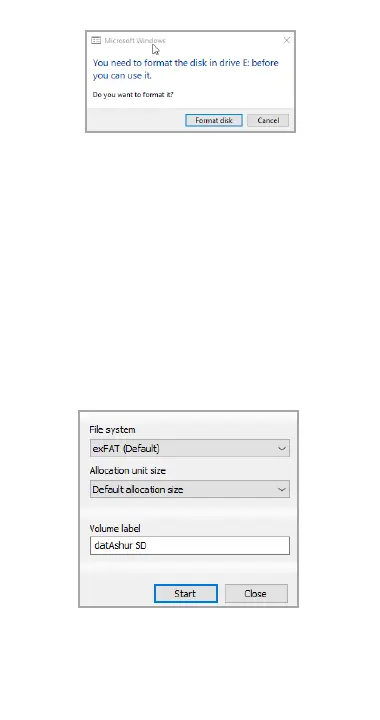
2. Choose the following settings (image 2):
• File system: NTFS (Windows user) or
exFAT/FAT32 (multi-platform user –
Windows/Mac)
• Allocation unit size: Default allocation
size
• Name the Volume label. For example
“datAshur SD” (exFAT/FAT32 - maximum
11 characters. NTFS maximum 32
characters).
• Click “Start”.
image 2
3. A warning message will pop-up
(image 3). Click OK to complete the
formatting process.















 To Next Page