9
while you can be heard through the camera speaker.
Listen: Tap on the “Listen” option on your screen in order to listen to the sound around
the camera.
Snapshot: Tap on the “Snapshot” option on your screen in order to take a snapshot of
current visual.
Video: Tap on the “Video” option on your screen in order to record a video of current
visuals. Files would store on your mobile device.
Flip: Tap on the “Flip” option on your screen in order to flip the screen.
Preset: This function is not supported on this model, at this time.
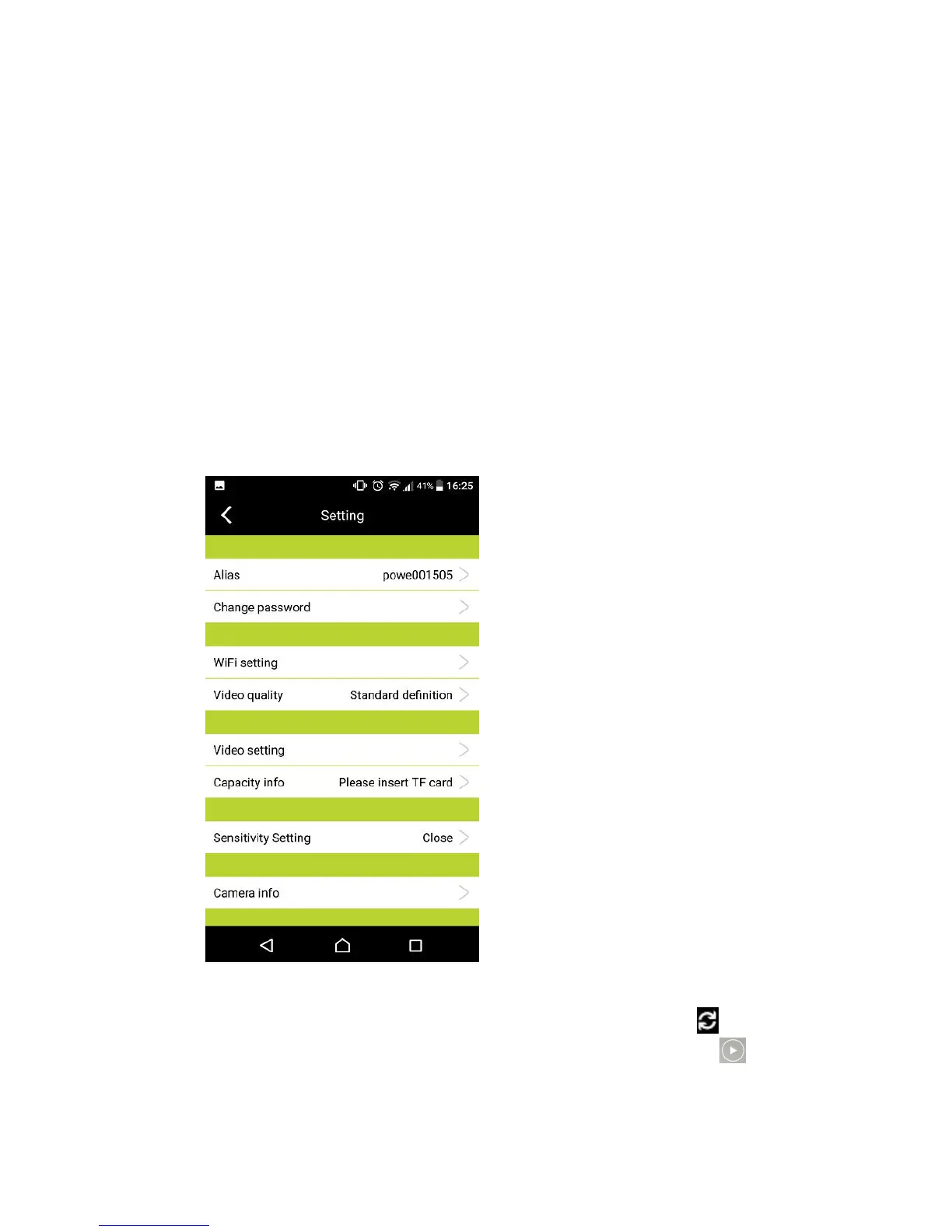
10. On ‘Setting’ page, you can check/edit some functional settings.
REMARK:
a. When you open the “itek Camera” App next time, you can click to refresh the
connected Wi-Fi Camera (from Offline) to ‘Online’ condition, and click to have full
screen viewing.
b. While you want to install/use a TF card for storing video files, you can unplug the power


 To Next Page